





Ads

Konica Minolta bizhub C252 Drum Units

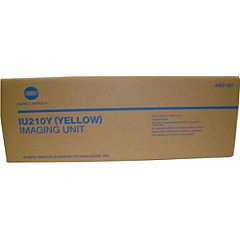
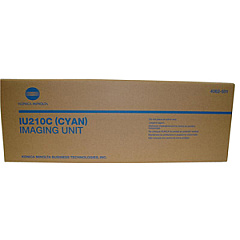
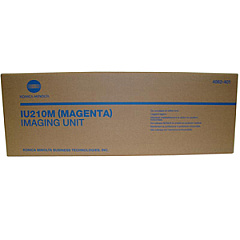
Enhance your printing experience with genuine Konica Minolta bizhub C252 Toner Cartridges. These high-quality supplies ensure optimal performance for your C252 multifunction printer, delivering crisp text and vibrant colors. The comprehensive range includes cyan, magenta, yellow, and black toner cartridges (TN210C, TN210M, TN210Y, TN210K), as well as imaging units (IU210C, IU210M, IU210Y) for each color. These cartridges are designed to work seamlessly with your bizhub C252, providing consistent, professional-grade output for all your business, educational, healthcare, or government printing needs. With Konica Minolta's advanced toner technology, you'll enjoy improved print quality, reduced waste, and extended cartridge life. Choose these reliable toner cartridges to maximize your printer's efficiency and produce stunning documents that make a lasting impression.

Konica Minolta bizhub C252 Printers Supplies FAQs

  • How long do Konica Minolta bizhub C252 Toner Cartridges typically last?

    The lifespan of these cartridges varies depending on usage, but they generally yield around 11,500 pages for color cartridges and 20,000 pages for black cartridges at 5% coverage.

  • Are these toner cartridges compatible with other Konica Minolta printers?

    These cartridges are specifically designed for the Konica Minolta bizhub C252 and may not be compatible with other models. Always check your printer's specifications before purchasing.

  • Can I use third-party toner cartridges in my bizhub C252?

    While third-party cartridges may work, using genuine Konica Minolta cartridges ensures optimal performance and print quality, and helps maintain your printer's warranty.

  • How do I know when it's time to replace my toner cartridge?

    Your bizhub C252 will display a message on the control panel when toner levels are low or a cartridge needs replacement.

  • What's the difference between toner cartridges and imaging units?

    Toner cartridges contain the toner powder, while imaging units transfer the toner onto the paper. Both need to be replaced periodically for optimal print quality.

  • Are these toner cartridges environmentally friendly?

    Konica Minolta designs their cartridges with environmental sustainability in mind, using recyclable materials and offering recycling programs for used cartridges.

  • How should I store unused toner cartridges?

    Store cartridges in a cool, dry place away from direct sunlight. Keep them in their original packaging until ready for use to protect them from damage and extend their shelf life.

  • Can I recycle empty Konica Minolta toner cartridges?

    Yes, Konica Minolta offers a recycling program for their toner cartridges. Check their website or contact your local dealer for details on how to participate.

  • How do I install a new toner cartridge in my bizhub C252?

    Consult your printer's user manual for specific instructions, but generally, you'll need to open the front panel, remove the old cartridge, and insert the new one until it clicks into place.

  • What should I do if I experience print quality issues after installing a new cartridge?

    First, ensure the cartridge is properly installed. If issues persist, run a print quality diagnostic from your printer's control panel or contact Konica Minolta support for assistance.

Warehouse Locations

Policy & Agreement | Copyright © 1995-2026 BlueDogInk.com
