





Ads

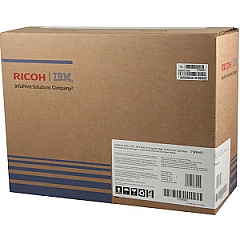
InfoPrint 1572 Black Toner Cartridges

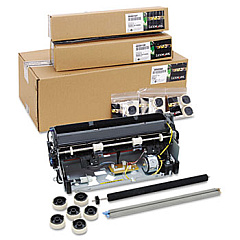
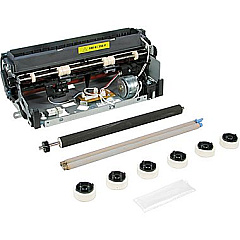
InfoPrint 1572 Maintenance Kits

Ensure uninterrupted, high-quality printing with genuine InfoPrint 1572 Toner Cartridges. These reliable consumables are specifically designed for the InfoPrint 1572 printer, delivering crisp text and sharp images for your professional documents. The IBM 75P6959 and 75P6961 Black Toner Cartridges offer exceptional yield and consistent output, while the Lexmark 40X0100 Fuser Maintenance Kit helps maintain optimal printer performance. By choosing authentic InfoPrint supplies, you'll maximize your printer's efficiency and extend its lifespan. These cartridges are ideal for businesses, educational institutions, government offices, and healthcare facilities that demand dependable, cost-effective printing solutions. With InfoPrint 1572 Toner Cartridges, you'll experience fewer interruptions, reduced waste, and superior print quality, allowing you to focus on what matters most – your work.

InfoPrint 1572 Printers Supplies FAQs

  • What is the page yield for the IBM 75P6959 Black Toner Cartridge?

    The IBM 75P6959 Black Toner Cartridge typically yields around 21,000 pages at 5% coverage.

  • Are these toner cartridges compatible with other printer models?

    These cartridges are specifically designed for the InfoPrint 1572 printer and may not be compatible with other models.

  • How often should I replace the Lexmark 40X0100 Fuser Maintenance Kit?

    The fuser maintenance kit should be replaced approximately every 300,000 pages, depending on usage.

  • Can I use third-party toner cartridges in my InfoPrint 1572 printer?

    While third-party cartridges may work, using genuine InfoPrint cartridges ensures optimal performance and print quality.

  • What's the difference between the IBM 75P6959 and 75P6961 Black Toner Cartridges?

    The main difference is the yield capacity, with the 75P6961 typically offering a higher page yield than the 75P6959.

  • How do I install the toner cartridges in my InfoPrint 1572 printer?

    Consult your printer's user manual for step-by-step instructions on how to properly install toner cartridges.

  • Are these toner cartridges environmentally friendly?

    Yes, InfoPrint toner cartridges are designed with environmental considerations in mind and can be recycled through appropriate programs.

  • What should I do if I experience print quality issues?

    First, ensure you're using genuine InfoPrint cartridges. If issues persist, clean the printer and check for any error messages or maintenance needs.

  • How long can I store unused toner cartridges?

    Unopened toner cartridges can typically be stored for up to two years in a cool, dry place away from direct sunlight.

  • Do these cartridges come with a warranty?

    Yes, genuine InfoPrint toner cartridges come with a standard manufacturer's warranty against defects in materials and workmanship.

Warehouse Locations

Policy & Agreement | Copyright © 1995-2026 BlueDogInk.com
