





Ads

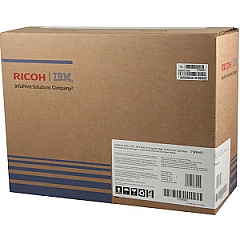
InfoPrint 1552 Black Toner Cartridges

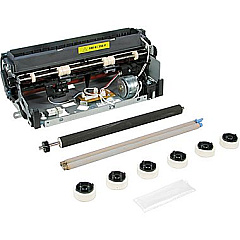
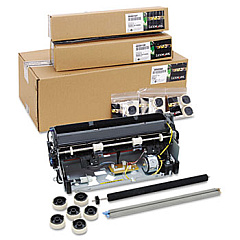
InfoPrint 1552 Maintenance Kits

Ensure uninterrupted, high-quality printing with genuine InfoPrint 1552 Toner Cartridges. These reliable consumables are specifically designed for the InfoPrint 1552 printer, delivering crisp text and sharp images for your professional documents. The IBM 75P6959 and 75P6961 Black Toner Cartridges offer exceptional yield and consistent output, reducing the frequency of replacements and minimizing downtime. For optimal printer performance, the Lexmark 40X0100 Fuser Maintenance Kit is essential in maintaining print quality and extending the life of your device. By choosing authentic InfoPrint 1552 Toner Cartridges, you're investing in superior print quality, reduced waste, and improved efficiency for your business, educational institution, government office, healthcare facility, or wholesale operation. Trust these OEM supplies to meet your demanding printing needs and maintain the integrity of your InfoPrint 1552 printer.

InfoPrint 1552 Printers Supplies FAQs

  • What is the page yield for the IBM 75P6959 Black Toner Cartridge?

    The IBM 75P6959 Black Toner Cartridge typically yields around 21,000 pages at 5% coverage.

  • Are these toner cartridges compatible with other printer models?

    These toner cartridges are specifically designed for the InfoPrint 1552 printer and may not be compatible with other models.

  • How often should I replace the Lexmark 40X0100 Fuser Maintenance Kit?

    The fuser maintenance kit should be replaced approximately every 300,000 pages, but this may vary depending on usage.

  • Can I use third-party toner cartridges in my InfoPrint 1552 printer?

    While third-party cartridges may work, using genuine IBM toner cartridges ensures optimal print quality and prevents potential damage to your printer.

  • What's the difference between the IBM 75P6959 and 75P6961 toner cartridges?

    The main difference is the yield capacity. The 75P6961 typically has a higher page yield compared to the 75P6959.

  • How can I tell when it's time to replace my toner cartridge?

    Your printer will typically display a low toner warning. You may also notice a decrease in print quality or faded text.

  • Are these toner cartridges environmentally friendly?

    Yes, IBM designs their cartridges with environmental considerations in mind, and they offer recycling programs for used cartridges.

  • What should I do if I experience print quality issues after installing a new cartridge?

    First, ensure the cartridge is properly installed. If issues persist, try printing a test page or cleaning the printer heads.

  • Can I store unused toner cartridges for long periods?

    Yes, but store them in a cool, dry place away from direct sunlight. Avoid storing them for more than two years for best results.

  • Is it necessary to shake the toner cartridge before installation?

    Yes, gently shaking the cartridge helps distribute the toner evenly and can improve initial print quality.

Warehouse Locations

Policy & Agreement | Copyright © 1995-2026 BlueDogInk.com
