





Ads

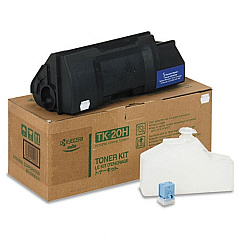
Imagistics Kyocera FS-DP1400 Black Toner Cartridges

Enhance your printing experience with high-quality Imagistics Kyocera FS-DP1400 Toner Cartridges. These reliable cartridges are designed specifically for the Imagistics Kyocera FS-DP1400 printer, ensuring optimal performance and crisp, professional results. The Kyocera TK20H Black Toner Cartridge is a key component of this lineup, offering exceptional print quality and impressive page yields. Whether you're in a busy office, educational institution, or healthcare facility, these toner cartridges deliver consistent, sharp text and graphics. With their long-lasting performance, you'll minimize downtime and reduce overall printing costs. Trust in the superior quality of Imagistics Kyocera FS-DP1400 Toner Cartridges to meet your demanding printing needs. Experience the perfect balance of affordability and reliability with these genuine Kyocera supplies, designed to keep your printer running smoothly and efficiently.

Imagistics Kyocera FS-DP1400 Printers Supplies FAQs

  • What is the page yield of the Kyocera TK20H Black Toner Cartridge?

    The Kyocera TK20H Black Toner Cartridge typically yields approximately 20,000 pages at 5% coverage.

  • Are these toner cartridges compatible with other Kyocera printer models?

    These cartridges are specifically designed for the Imagistics Kyocera FS-DP1400 printer. Always check your printer's compatibility before purchasing.

  • How long do these toner cartridges typically last?

    The lifespan of the cartridge depends on usage, but with normal printing habits, it can last several months to a year.

  • Are these genuine Kyocera toner cartridges?

    Yes, these are genuine Kyocera toner cartridges designed for optimal performance with your Imagistics Kyocera FS-DP1400 printer.

  • Can I recycle the used toner cartridges?

    Yes, Kyocera offers a recycling program for used toner cartridges. Check their website for details on how to participate.

  • How should I store unused toner cartridges?

    Store unused cartridges in a cool, dry place away from direct sunlight. Keep them in their original packaging until ready for use.

  • What should I do if the print quality decreases?

    Try redistributing the toner by gently shaking the cartridge. If issues persist, it may be time to replace the cartridge.

  • Are these cartridges covered by a warranty?

    Yes, genuine Kyocera toner cartridges typically come with a manufacturer's warranty. Check the packaging for specific details.

  • How do I install the toner cartridge in my Imagistics Kyocera FS-DP1400 printer?

    Refer to your printer's user manual for step-by-step installation instructions. Generally, it involves opening the printer, removing the old cartridge, and inserting the new one.

  • Can I use third-party or refilled toner cartridges in my Imagistics Kyocera FS-DP1400 printer?

    While third-party cartridges may work, using genuine Kyocera toner cartridges ensures the best print quality and prevents potential damage to your printer.

Warehouse Locations

Policy & Agreement | Copyright © 1995-2026 BlueDogInk.com
