





Ads

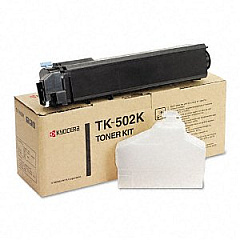
Imagistics Kyocera FS-C5016N Black Toner Cartridges

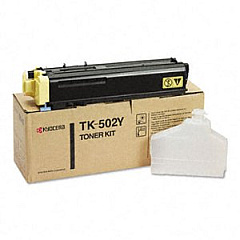
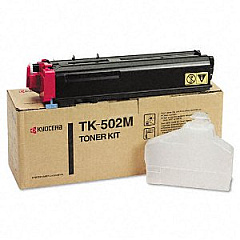
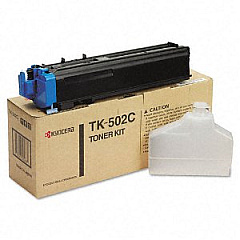
Imagistics Kyocera FS-C5016N Color Toner Cartridges

Enhance your printing experience with genuine Imagistics Kyocera FS-C5016N Toner Cartridges. These high-quality cartridges are designed specifically for the FS-C5016N printer, ensuring optimal performance and exceptional print quality. The complete set includes Kyocera TK502C Cyan, TK502K Black, TK502M Magenta, and TK502Y Yellow toner cartridges, allowing you to produce vibrant color documents and crisp black text. These cartridges offer long-lasting performance, reducing the frequency of replacements and minimizing downtime. Whether you're printing important business documents, educational materials, or healthcare records, these toner cartridges deliver consistent, professional results. Trust in the reliability and efficiency of Imagistics Kyocera FS-C5016N Toner Cartridges to meet the demanding printing needs of businesses, schools, government offices, and healthcare facilities. Invest in these superior cartridges to maximize your printer's potential and achieve outstanding print quality.

Imagistics Kyocera FS-C5016N Printers Supplies FAQs

  • How long do Imagistics Kyocera FS-C5016N Toner Cartridges typically last?

    The lifespan of these cartridges varies depending on usage, but they generally yield around 8,000 pages for color cartridges and 12,000 pages for black cartridges.

  • Are these toner cartridges compatible with other Kyocera printer models?

    These cartridges are specifically designed for the Imagistics Kyocera FS-C5016N printer. They may not be compatible with other models.

  • Can I use third-party toner cartridges instead of genuine Kyocera cartridges?

    While third-party cartridges may be available, using genuine Kyocera cartridges ensures optimal print quality and prevents potential damage to your printer.

  • How do I install these toner cartridges in my Imagistics Kyocera FS-C5016N printer?

    Installation is simple. Open the printer's front cover, remove the old cartridge, and insert the new one until it clicks into place. Refer to your printer's manual for detailed instructions.

  • Are these toner cartridges environmentally friendly?

    Kyocera toner cartridges are designed with environmental sustainability in mind. They can be recycled through Kyocera's recycling program.

  • What should I do if I experience print quality issues after installing new cartridges?

    First, ensure the cartridges are properly installed. If issues persist, run a printer cleaning cycle or contact Kyocera customer support for assistance.

  • Can I purchase individual color cartridges, or do I need to buy the complete set?

    You can purchase individual color cartridges as needed. It's not necessary to replace all cartridges at once unless they're all depleted.

  • How should I store unused toner cartridges?

    Store unused cartridges in a cool, dry place away from direct sunlight. Keep them in their original packaging until ready for use.

  • Do these toner cartridges come with a warranty?

    Yes, genuine Kyocera toner cartridges typically come with a manufacturer's warranty. Check the packaging or contact the seller for specific warranty details.

  • How can I tell if my toner cartridge is running low?

    The printer's display panel will show a low toner warning. You may also notice a gradual decrease in print quality as the toner depletes.

Warehouse Locations

Policy & Agreement | Copyright © 1995-2026 BlueDogInk.com
