





Ads

Imagistics Kyocera FS-C2526MFP Black Toner Cartridges

Imagistics Kyocera FS-C2526MFP Color Toner Cartridges

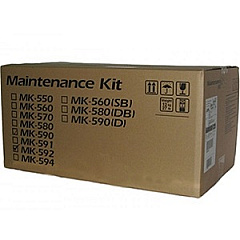
Imagistics Kyocera FS-C2526MFP Maintenance Kits

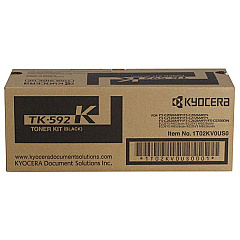
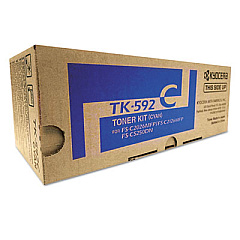
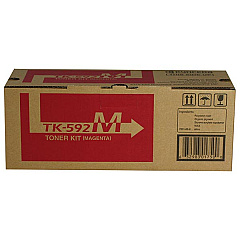
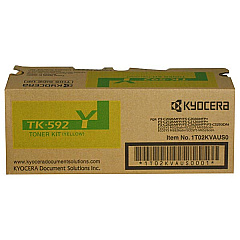
Enhance your printing experience with genuine Imagistics Kyocera FS-C2526MFP Toner Cartridges. These high-quality consumables are designed to deliver exceptional results for your Kyocera FS-C2526MFP multifunction printer. The comprehensive range includes the Kyocera MK592 Maintenance Kit for optimal device performance, as well as individual color cartridges: TK592C Cyan, TK592K Black, TK592M Magenta, and TK592Y Yellow. Each toner cartridge is engineered to produce crisp text and vibrant colors, ensuring professional-quality output for your business, educational, healthcare, or government printing needs. With these reliable Imagistics Kyocera FS-C2526MFP Toner Cartridges, you can count on consistent, high-quality prints, reduced downtime, and cost-effective operation. Choose these genuine Kyocera supplies to maximize your printer's performance and maintain the quality your work demands.

Imagistics Kyocera FS-C2526MFP Printers Supplies FAQs

  • How long do Imagistics Kyocera FS-C2526MFP Toner Cartridges typically last?

    The lifespan of these cartridges varies depending on usage, but they generally yield several thousand pages before needing replacement.

  • Are these toner cartridges compatible with other Kyocera printer models?

    These cartridges are specifically designed for the Imagistics Kyocera FS-C2526MFP. Always check your printer's compatibility before purchasing.

  • What is the purpose of the Kyocera MK592 Maintenance Kit?

    The maintenance kit helps maintain optimal printer performance by replacing wear-and-tear components, such as the drum unit and fuser.

  • Can I use third-party toner cartridges instead of genuine Kyocera ones?

    While third-party options exist, using genuine Kyocera cartridges ensures the best print quality and helps maintain your printer's warranty.

  • How do I know when it's time to replace a toner cartridge?

    Your printer will typically display a low toner warning. You may also notice a decrease in print quality.

  • Are these toner cartridges environmentally friendly?

    Kyocera designs its cartridges with environmental considerations in mind, often offering recycling programs for used cartridges.

  • Can I replace just one color cartridge at a time?

    Yes, you can replace individual color cartridges as needed, without having to replace all of them at once.

  • How should I store unused toner cartridges?

    Store cartridges in a cool, dry place away from direct sunlight. Keep them in their original packaging until ready for use.

  • What should I do if I experience print quality issues with these cartridges?

    First, ensure the cartridge is properly installed. If issues persist, try printing a test page or cleaning the printer heads.

  • Is it necessary to shake the toner cartridge before installation?

    It's generally recommended to gently shake new toner cartridges before installation to evenly distribute the toner inside.

Warehouse Locations

Policy & Agreement | Copyright © 1995-2026 BlueDogInk.com
