





Ads

Imagistics Kyocera FS-C2126MFP+ Black Toner Cartridges

Imagistics Kyocera FS-C2126MFP+ Color Toner Cartridges

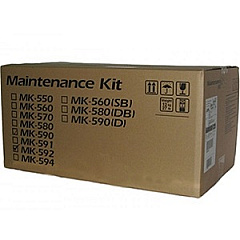
Imagistics Kyocera FS-C2126MFP+ Maintenance Kits

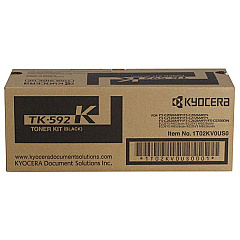
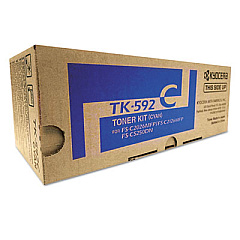
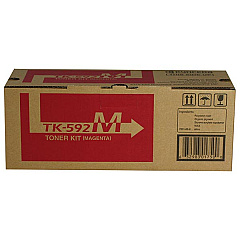
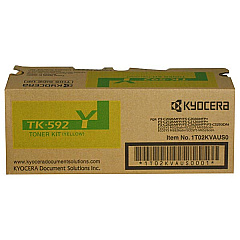
Enhance your printing experience with genuine Imagistics Kyocera FS-C2126MFP+ Toner Cartridges. This high-performance multifunction printer demands top-quality supplies to maintain its exceptional output. The comprehensive range includes the Kyocera MK592 Maintenance Kit for optimal device longevity, and individual color cartridges: TK592C Cyan, TK592K Black, TK592M Magenta, and TK592Y Yellow. These toners ensure vibrant, professional-quality prints every time. Whether you're producing important business documents, educational materials, or healthcare records, these cartridges deliver consistent, reliable results. The Imagistics Kyocera FS-C2126MFP+ Toner Cartridges are designed for efficiency, offering high yield and minimal waste. Invest in these superior supplies to maximize your printer's potential and enjoy crisp, clear, and colorful prints that make a lasting impression in any professional setting.

Imagistics Kyocera FS-C2126MFP+ Printers Supplies FAQs

  • How long do Imagistics Kyocera FS-C2126MFP+ Toner Cartridges typically last?

    The lifespan of these cartridges varies depending on usage, but they generally yield around 5,000 pages for color cartridges and 7,000 pages for black.

  • Are these toner cartridges compatible with other Kyocera printers?

    These cartridges are specifically designed for the Imagistics Kyocera FS-C2126MFP+ model. Always check your printer's compatibility before purchasing.

  • What is the purpose of the Kyocera MK592 Maintenance Kit?

    The maintenance kit helps extend the life of your printer by replacing wear-and-tear parts, ensuring optimal performance and print quality.

  • Can I use third-party toner cartridges in my Imagistics Kyocera FS-C2126MFP+?

    While third-party cartridges may work, using genuine Kyocera cartridges ensures the best print quality and prevents potential damage to your printer.

  • How often should I replace the toner cartridges?

    Replace cartridges when print quality diminishes or when your printer indicates low toner levels. This varies based on usage.

  • Are these toner cartridges environmentally friendly?

    Kyocera designs its cartridges with environmental considerations, using recyclable materials and offering recycling programs for used cartridges.

  • What should I do with empty toner cartridges?

    Kyocera offers a recycling program for used cartridges. Check their website or contact your local office supply store for recycling options.

  • Can I replace individual color cartridges or do I need to replace all at once?

    You can replace individual color cartridges as needed, which helps reduce waste and save money.

  • How do I install new toner cartridges in my Imagistics Kyocera FS-C2126MFP+?

    Consult your printer's user manual for specific instructions, but generally, it involves opening the front panel, removing the old cartridge, and inserting the new one until it clicks into place.

  • What's the shelf life of unopened toner cartridges?

    Unopened toner cartridges typically have a shelf life of 1-2 years. Store them in a cool, dry place away from direct sunlight for best results.

Warehouse Locations

Policy & Agreement | Copyright © 1995-2026 BlueDogInk.com
