





Ads

Imagistics Kyocera FS-920 Black Toner Cartridges

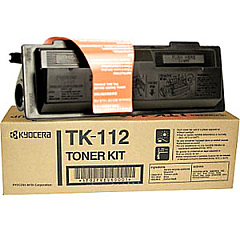
Enhance your printing experience with high-quality Imagistics Kyocera FS-920 Toner Cartridges. These reliable cartridges are designed specifically for the Imagistics Kyocera FS-920 printer, ensuring optimal performance and crisp, professional results. The Kyocera TK112 Black Toner Cartridge is the perfect choice for this model, delivering exceptional print quality and long-lasting performance. With its high yield capacity, you'll enjoy fewer cartridge replacements and reduced downtime. These toner cartridges are engineered to meet the demands of busy offices, schools, healthcare facilities, and government institutions. They produce sharp text and clear graphics, making them ideal for a wide range of printing needs. Choose Imagistics Kyocera FS-920 Toner Cartridges for reliable, cost-effective printing that consistently delivers outstanding results. Trust in the quality and performance of these cartridges to keep your workflow smooth and efficient.

Imagistics Kyocera FS-920 Printers Supplies FAQs

  • What is the page yield of the Kyocera TK112 Black Toner Cartridge?

    The Kyocera TK112 Black Toner Cartridge typically yields around 6,000 pages at 5% coverage.

  • Are these toner cartridges compatible with other Kyocera printer models?

    The Kyocera TK112 Black Toner Cartridge is specifically designed for the Imagistics Kyocera FS-920 printer. It may not be compatible with other models.

  • How long does the toner cartridge typically last?

    The lifespan of the cartridge depends on usage, but under normal printing conditions, it can last several months to a year.

  • Are these genuine Kyocera toner cartridges?

    Yes, these are genuine Kyocera toner cartridges designed for optimal performance with the Imagistics Kyocera FS-920 printer.

  • Can I recycle the used toner cartridges?

    Yes, Kyocera offers a recycling program for used toner cartridges. Check their website for details on how to participate.

  • How should I store unused toner cartridges?

    Store unused cartridges in a cool, dry place away from direct sunlight. Keep them in their original packaging until ready for use.

  • What should I do if the print quality deteriorates?

    Try removing the cartridge and gently shaking it to redistribute the toner. If the issue persists, the cartridge may need replacement.

  • Is there a warranty on these toner cartridges?

    Yes, genuine Kyocera toner cartridges typically come with a manufacturer's warranty. Check the packaging or contact the seller for specific warranty information.

  • How do I install the toner cartridge in my Imagistics Kyocera FS-920 printer?

    Consult your printer's user manual for step-by-step installation instructions. Generally, you'll need to open the printer, remove the old cartridge, and insert the new one until it clicks into place.

  • Can I use third-party or refilled toner cartridges in my Imagistics Kyocera FS-920 printer?

    While third-party cartridges may work, using genuine Kyocera toner cartridges is recommended to ensure optimal print quality and to avoid potential damage to your printer.

Warehouse Locations

Policy & Agreement | Copyright © 1995-2026 BlueDogInk.com
