





Ads

Imagistics Kyocera FS-3640MFP Black Toner Cartridges

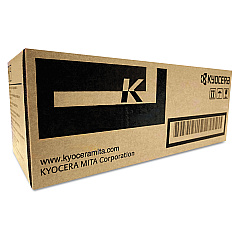
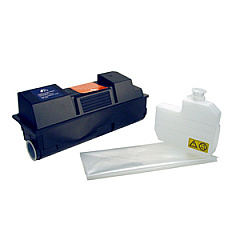
Enhance your printing experience with genuine Imagistics Kyocera FS-3640MFP Toner Cartridges. These high-quality consumables are designed to deliver exceptional results for your Kyocera FS-3640MFP multifunction printer. The Kyocera TK352 Black Toner Cartridge ensures crisp, professional-looking documents with its superior toner formulation. For optimal performance and longevity, the Kyocera MK350 Maintenance Kit is essential in maintaining your printer's efficiency. These authentic supplies are engineered to work seamlessly with your device, minimizing downtime and maximizing productivity. Whether you're printing important business documents, educational materials, or healthcare records, Imagistics Kyocera FS-3640MFP Toner Cartridges provide the reliability and quality you need. Invest in these genuine supplies to protect your printer and ensure consistent, high-quality output for all your printing needs.

Imagistics Kyocera FS-3640MFP Printers Supplies FAQs

  • What is the page yield of the Kyocera TK352 Black Toner Cartridge?

    The Kyocera TK352 Black Toner Cartridge typically yields around 15,000 pages at 5% coverage.

  • How often should I replace the Kyocera MK350 Maintenance Kit?

    The Kyocera MK350 Maintenance Kit should be replaced approximately every 300,000 pages, depending on usage.

  • Are these toner cartridges compatible with other Kyocera printer models?

    These cartridges are specifically designed for the Imagistics Kyocera FS-3640MFP. Always check your printer's compatibility before purchasing.

  • Can I use third-party toner cartridges in my Imagistics Kyocera FS-3640MFP?

    While third-party cartridges may work, using genuine Kyocera supplies ensures optimal performance and protects your printer's warranty.

  • How do I install the Kyocera TK352 Black Toner Cartridge?

    Refer to your printer's user manual for specific instructions, but generally, you'll need to open the front cover, remove the old cartridge, and insert the new one until it clicks into place.

  • What components are included in the Kyocera MK350 Maintenance Kit?

    The MK350 Maintenance Kit typically includes a drum unit, developer unit, and various rollers and belts necessary for printer maintenance.

  • How can I tell when it's time to replace my toner cartridge?

    Your printer will usually display a low toner warning. You may also notice a decrease in print quality or faded text.

  • Are these toner cartridges environmentally friendly?

    Kyocera designs its cartridges with environmental sustainability in mind, often offering recycling programs for used cartridges.

  • What should I do if I experience print quality issues after installing a new cartridge?

    Try running a printer cleaning cycle. If issues persist, ensure the cartridge is properly installed and compatible with your printer model.

  • Do these toner cartridges come with a warranty?

    Yes, genuine Kyocera toner cartridges typically come with a manufacturer's warranty. Check the packaging or contact the seller for specific warranty information.

Warehouse Locations

Policy & Agreement | Copyright © 1995-2026 BlueDogInk.com
