





Ads

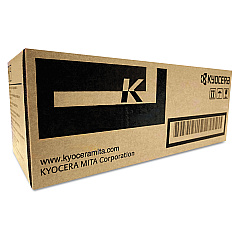
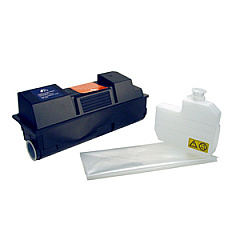
Imagistics Kyocera FS-3140MFP+ Black Toner Cartridges

Enhance your office productivity with genuine Imagistics Kyocera FS-3140MFP+ Toner Cartridges. These high-quality consumables are designed specifically for the Imagistics Kyocera FS-3140MFP+ multifunction printer, ensuring optimal performance and crisp, professional prints. The Kyocera TK352 Black Toner Cartridge delivers exceptional yield and consistent output, while the Kyocera MK350 Maintenance Kit helps maintain your printer's longevity. By choosing authentic Imagistics Kyocera FS-3140MFP+ Toner Cartridges, you're investing in reliability and superior print quality. These cartridges are engineered to work seamlessly with your device, minimizing downtime and maximizing efficiency. Whether you're printing important business documents, reports, or everyday correspondence, these toner cartridges provide the sharp, clear results you need. Trust in the proven performance of Imagistics Kyocera FS-3140MFP+ Toner Cartridges to keep your office running smoothly and productively.

Imagistics Kyocera FS-3140MFP+ Printers Supplies FAQs

  • What is the page yield of the Kyocera TK352 Black Toner Cartridge?

    The Kyocera TK352 Black Toner Cartridge typically yields around 15,000 pages at 5% coverage.

  • How often should I replace the Kyocera MK350 Maintenance Kit?

    The Kyocera MK350 Maintenance Kit should be replaced approximately every 300,000 pages, depending on usage.

  • Are these toner cartridges compatible with other Kyocera printer models?

    These cartridges are specifically designed for the Imagistics Kyocera FS-3140MFP+ model. Always check your printer's compatibility before purchasing.

  • Can I use third-party toner cartridges in my Imagistics Kyocera FS-3140MFP+?

    While third-party cartridges may work, using genuine Kyocera cartridges ensures optimal performance and maintains your printer's warranty.

  • How do I install the Kyocera TK352 Black Toner Cartridge?

    Refer to your printer's user manual for specific instructions, but generally, you'll need to open the front cover, remove the old cartridge, and insert the new one until it clicks into place.

  • What's included in the Kyocera MK350 Maintenance Kit?

    The MK350 Maintenance Kit typically includes a drum unit, developer unit, and various rollers and components that require periodic replacement.

  • How can I tell when it's time to replace my toner cartridge?

    Your printer will usually display a low toner warning. You may also notice a decrease in print quality or faded text.

  • Are these toner cartridges environmentally friendly?

    Kyocera designs its cartridges with environmental sustainability in mind, often offering recycling programs for used cartridges.

  • What should I do with my used toner cartridges?

    Kyocera offers a recycling program for used cartridges. Check their website or contact your local office supply store for recycling options.

  • Do these cartridges come with a warranty?

    Yes, genuine Kyocera toner cartridges typically come with a manufacturer's warranty. Check the packaging or Kyocera's website for specific warranty details.

Warehouse Locations

Policy & Agreement | Copyright © 1995-2026 BlueDogInk.com
