





Ads

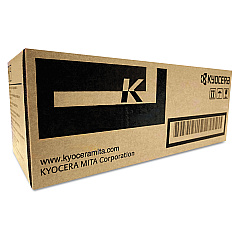
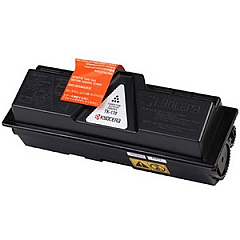
Imagistics Kyocera FS-1370DN Black Toner Cartridges

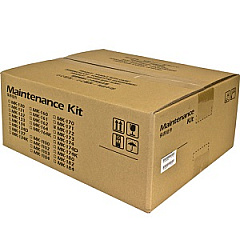
Imagistics Kyocera FS-1370DN Maintenance Kits

Enhance your printing efficiency with genuine Imagistics Kyocera FS-1370DN Toner Cartridges. These high-quality consumables are designed to deliver exceptional results for businesses, educational institutions, government offices, healthcare facilities, and wholesale operations. The Kyocera MK172 Maintenance Kit ensures your printer remains in top condition, while the Kyocera TK172 Black Toner Cartridge produces crisp, professional-quality text and graphics. These Imagistics Kyocera FS-1370DN Toner Cartridges are engineered to maximize your printer's performance, offering consistent output and reduced downtime. With their long-lasting formulation, you'll enjoy cost-effective printing without compromising on quality. Trust in the reliability and superior print quality of these genuine Kyocera supplies to meet your demanding printing needs. Invest in Imagistics Kyocera FS-1370DN Toner Cartridges for unparalleled results and keep your workflow running smoothly.

Imagistics Kyocera FS-1370DN Printers Supplies FAQs

  • What is the page yield of the Kyocera TK172 Black Toner Cartridge?

    The Kyocera TK172 Black Toner Cartridge typically yields around 7,200 pages at 5% coverage.

  • Is the Kyocera MK172 Maintenance Kit compatible with other Kyocera printers?

    The MK172 Maintenance Kit is specifically designed for the FS-1370DN and may not be compatible with other Kyocera printer models.

  • How often should I replace the maintenance kit?

    The maintenance kit should be replaced approximately every 100,000 pages, but this may vary depending on usage and print environment.

  • Can I use third-party toner cartridges in my Imagistics Kyocera FS-1370DN printer?

    While third-party cartridges may work, using genuine Kyocera toner cartridges ensures optimal print quality and printer performance.

  • What components are included in the Kyocera MK172 Maintenance Kit?

    The MK172 Maintenance Kit typically includes a drum unit, developer unit, and various rollers and components that require periodic replacement.

  • How do I know when it's time to replace the toner cartridge?

    Your printer will display a low toner warning when it's time to replace the cartridge. You may also notice a decrease in print quality.

  • Are these toner cartridges environmentally friendly?

    Yes, Kyocera toner cartridges are designed with environmental sustainability in mind and can be recycled through Kyocera's recycling program.

  • What is the shelf life of unopened toner cartridges?

    Unopened toner cartridges typically have a shelf life of 1-2 years when stored in a cool, dry place away from direct sunlight.

  • Can I purchase these supplies in bulk for my business?

    Yes, bulk purchasing options are often available for businesses. Contact the supplier for more information on volume discounts.

  • How do I install the new toner cartridge in my Imagistics Kyocera FS-1370DN printer?

    Installation is simple: open the front cover, remove the old cartridge, shake the new cartridge, and insert it until it clicks into place. Detailed instructions are provided with the cartridge.

Warehouse Locations

Policy & Agreement | Copyright © 1995-2026 BlueDogInk.com
