





Ads

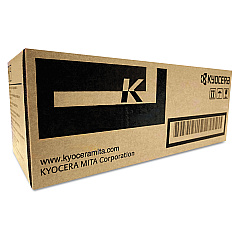
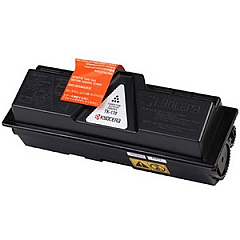
Imagistics Kyocera FS-1320D Black Toner Cartridges

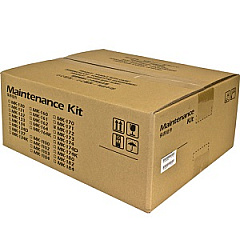
Imagistics Kyocera FS-1320D Maintenance Kits

Enhance your printing efficiency with Imagistics Kyocera FS-1320D Toner Cartridges, designed to deliver exceptional quality and reliability for your business, educational, healthcare, or government printing needs. These high-performance cartridges, including the Kyocera MK172 Maintenance Kit and Kyocera TK172 Black Toner Cartridge, ensure crisp, professional-grade output for all your documents. The FS-1320D printer, known for its durability and cost-effectiveness, pairs perfectly with these genuine Kyocera supplies to maximize productivity and minimize downtime. Whether you're printing reports, invoices, or educational materials, these toner cartridges provide consistent, high-quality results page after page. With long-lasting performance and eco-friendly design, Imagistics Kyocera FS-1320D Toner Cartridges are the ideal choice for organizations seeking to optimize their printing resources while maintaining superior print quality.

Imagistics Kyocera FS-1320D Printers Supplies FAQs

  • What is the page yield of the Kyocera TK172 Black Toner Cartridge?

    The Kyocera TK172 Black Toner Cartridge typically yields around 7,200 pages at 5% coverage.

  • Is the Kyocera MK172 Maintenance Kit necessary for the FS-1320D printer?

    Yes, the MK172 Maintenance Kit is essential for maintaining optimal printer performance and extending the life of your FS-1320D printer.

  • Are these toner cartridges compatible with other Kyocera printer models?

    These cartridges are specifically designed for the FS-1320D model. Always check your printer's compatibility before purchasing toner cartridges.

  • How often should I replace the toner cartridge in my FS-1320D printer?

    Replacement frequency depends on your printing volume. Replace the cartridge when print quality diminishes or when prompted by the printer.

  • Can I use third-party toner cartridges in my Imagistics Kyocera FS-1320D printer?

    While third-party cartridges may work, using genuine Kyocera toner cartridges ensures optimal print quality and prevents potential damage to your printer.

  • What's included in the Kyocera MK172 Maintenance Kit?

    The MK172 Maintenance Kit typically includes a drum unit, developer unit, and other essential components to maintain your printer's performance.

  • How do I install the Kyocera TK172 Black Toner Cartridge?

    Installation is simple: open the printer's front cover, remove the old cartridge, and insert the new TK172 cartridge until it clicks into place.

  • Are these toner cartridges environmentally friendly?

    Yes, Kyocera designs its toner cartridges with eco-friendly features, including recyclable materials and energy-efficient performance.

  • What is the shelf life of unopened Imagistics Kyocera FS-1320D Toner Cartridges?

    Unopened toner cartridges typically have a shelf life of 1-2 years when stored in a cool, dry place away from direct sunlight.

  • Does using genuine Kyocera toner cartridges affect my printer's warranty?

    Using genuine Kyocera toner cartridges helps maintain your printer's warranty. Using third-party cartridges may void the warranty in some cases.

Warehouse Locations

Policy & Agreement | Copyright © 1995-2026 BlueDogInk.com
