





Ads

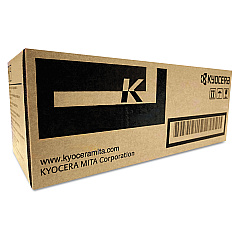
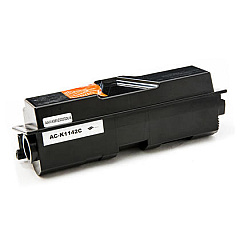
Imagistics Kyocera FS-1035MFP Black Toner Cartridges

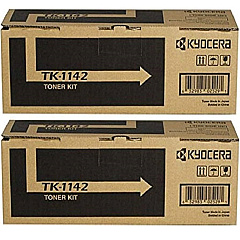
Imagistics Kyocera FS-1035MFP Toner Set

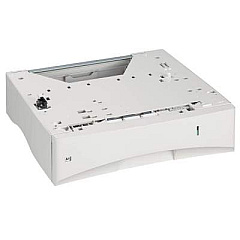
Imagistics Kyocera FS-1035MFP Paper Trays

Enhance your printing experience with Imagistics Kyocera FS-1035MFP Toner Cartridges and supplies. This versatile multifunction printer demands high-quality consumables to maintain its exceptional performance. Our range includes the Kyocera MK1142 Maintenance Kit for routine upkeep, the Kyocera PF-120 Paper Tray for increased paper capacity, and the Kyocera TK-1142 Black Toner Cartridge available in single and cost-effective 2-Pack options. These genuine Kyocera supplies ensure crisp, professional-quality prints every time. Whether you're in a busy office, educational institution, or healthcare facility, these Imagistics Kyocera FS-1035MFP Toner Cartridges and accessories are designed to meet your high-volume printing needs while maintaining document integrity. Invest in these reliable supplies to maximize your printer's lifespan and minimize downtime, keeping your operations running smoothly and efficiently.

Imagistics Kyocera FS-1035MFP Printers Supplies FAQs

  • What is the page yield of the Kyocera TK1142 Black Toner Cartridge?

    The Kyocera TK1142 Black Toner Cartridge typically yields around 7,200 pages at 5% coverage.

  • Is the Kyocera MK1142 Maintenance Kit necessary?

    Yes, the maintenance kit is crucial for keeping your printer in optimal condition and should be replaced at recommended intervals.

  • How many additional sheets can the Kyocera PF-120 Paper Tray hold?

    The Kyocera PF-120 Paper Tray can hold an additional 250 sheets of paper.

  • Are these toner cartridges compatible with other Kyocera printers?

    These cartridges are specifically designed for the Imagistics Kyocera FS-1035MFP. Always check your printer's compatibility before purchasing.

  • What's the benefit of buying the 2-Pack toner cartridge?

    The 2-Pack option is more cost-effective and ensures you have a replacement cartridge on hand, reducing potential downtime.

  • How often should I replace the maintenance kit?

    The maintenance kit typically needs replacement after printing about 100,000 pages, but this can vary based on usage.

  • Are these genuine Kyocera supplies?

    Yes, all the supplies listed are genuine Kyocera products, ensuring optimal performance and print quality.

  • Can I use third-party toner cartridges in my Imagistics Kyocera FS-1035MFP?

    While third-party cartridges may work, using genuine Kyocera supplies is recommended to maintain print quality and avoid potential damage to your printer.

  • How do I install the new toner cartridge?

    Installation is simple: open the front cover, remove the old cartridge, unpack the new one, and insert it until it clicks into place. Detailed instructions are included with the product.

  • What's the shelf life of these toner cartridges?

    Unopened toner cartridges typically have a shelf life of 1-2 years. Store them in a cool, dry place away from direct sunlight for best results.

Warehouse Locations

Policy & Agreement | Copyright © 1995-2026 BlueDogInk.com
