





Ads

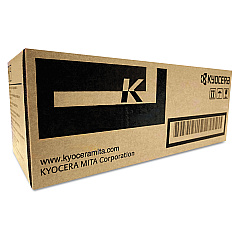
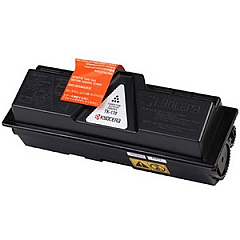
Imagistics Kyocera ECOSYS P2135dn Black Toner Cartridges

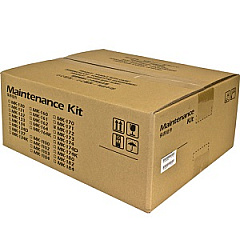
Imagistics Kyocera ECOSYS P2135dn Maintenance Kits

Enhance your printing efficiency with Imagistics Kyocera ECOSYS P2135dn Toner Cartridges. These high-quality supplies are designed to deliver exceptional results for businesses, educational institutions, government offices, healthcare facilities, and wholesale operations. The ECOSYS P2135dn printer relies on two essential components: the Kyocera MK172 Maintenance Kit and the Kyocera TK172 Black Toner Cartridge. The maintenance kit ensures your printer's longevity and optimal performance, while the black toner cartridge produces crisp, professional-quality text and images. With these genuine Kyocera supplies, you'll experience consistent, reliable output and reduced downtime. Whether you're printing important documents, reports, or marketing materials, Imagistics Kyocera ECOSYS P2135dn Toner Cartridges provide the quality and durability you need to keep your operations running smoothly. Invest in these superior supplies to maximize your printer's potential and maintain peak productivity.

Imagistics Kyocera ECOSYS P2135dn Printers Supplies FAQs

  • What is the page yield of the Kyocera TK172 Black Toner Cartridge?

    The Kyocera TK172 Black Toner Cartridge typically yields approximately 7,200 pages at 5% coverage.

  • How often should I replace the Kyocera MK172 Maintenance Kit?

    The Kyocera MK172 Maintenance Kit should be replaced after approximately 100,000 pages, but this may vary depending on usage and print conditions.

  • Are these toner cartridges compatible with other Kyocera printer models?

    The Kyocera TK172 Black Toner Cartridge and MK172 Maintenance Kit are specifically designed for the ECOSYS P2135dn printer and may not be compatible with other models.

  • Can I use third-party toner cartridges in my Imagistics Kyocera ECOSYS P2135dn printer?

    While third-party cartridges may work, using genuine Kyocera supplies is recommended to ensure optimal print quality and prevent potential damage to your printer.

  • How do I know when it's time to replace the toner cartridge?

    Your printer will display a low toner warning when it's time to replace the cartridge. You may also notice a decrease in print quality.

  • What's included in the Kyocera MK172 Maintenance Kit?

    The MK172 Maintenance Kit typically includes a drum unit, developer unit, and other essential components to maintain your printer's performance.

  • Are these toner cartridges environmentally friendly?

    Yes, Kyocera's ECOSYS technology is designed to be environmentally friendly, with long-lasting components that reduce waste and energy consumption.

  • How should I store unused toner cartridges?

    Store unused toner cartridges in a cool, dry place away from direct sunlight. Keep them in their original packaging until ready for use.

  • Can I recycle used toner cartridges and maintenance kits?

    Yes, Kyocera offers a recycling program for used toner cartridges and maintenance kits. Check their website for details on how to participate.

  • What should I do if I experience print quality issues with these supplies?

    If you experience print quality issues, first ensure the cartridge is properly installed. If problems persist, contact Kyocera customer support for assistance.

Warehouse Locations

Policy & Agreement | Copyright © 1995-2026 BlueDogInk.com
