





Ads

Imagistics Kyocera ECOSYS M6526cdn Black Toner Cartridges

Imagistics Kyocera ECOSYS M6526cdn Color Toner Cartridges

Imagistics Kyocera ECOSYS M6526cdn Maintenance Kits

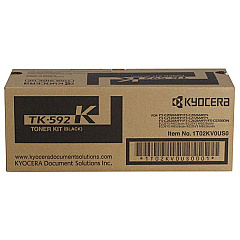
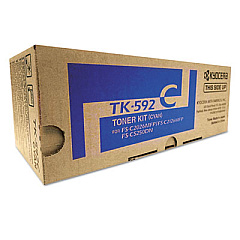
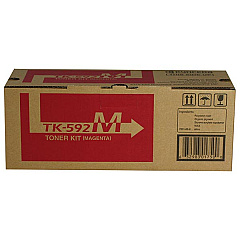
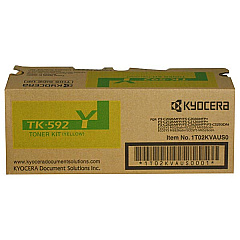
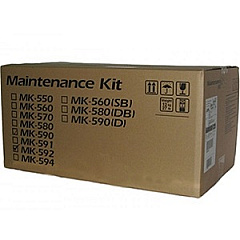
Enhance your printing experience with genuine Imagistics Kyocera ECOSYS M6526cdn Toner Cartridges. These high-quality consumables are designed to deliver exceptional performance and reliability for your Kyocera ECOSYS M6526cdn printer. The comprehensive range includes the Kyocera MK592 Maintenance Kit for optimal device upkeep, as well as individual color cartridges: TK592C Cyan, TK592K Black, TK592M Magenta, and TK592Y Yellow. Each toner cartridge is engineered to produce crisp text and vibrant colors, ensuring professional-quality output for all your printing needs. By using authentic Imagistics Kyocera ECOSYS M6526cdn Toner Cartridges, you can maximize your printer's efficiency, reduce downtime, and maintain consistent print quality. Whether you're printing important business documents or colorful marketing materials, these toner cartridges will help you achieve outstanding results while protecting your investment in Kyocera printing technology.

Imagistics Kyocera ECOSYS M6526cdn Printers Supplies FAQs

  • How long do Imagistics Kyocera ECOSYS M6526cdn Toner Cartridges typically last?

    The lifespan of these cartridges varies depending on usage, but they generally yield several thousand pages before needing replacement.

  • Are these toner cartridges compatible with other Kyocera printer models?

    These cartridges are specifically designed for the Kyocera ECOSYS M6526cdn model and may not be compatible with other printers.

  • What is the purpose of the Kyocera MK592 Maintenance Kit?

    The maintenance kit helps maintain the printer's performance by replacing wear-and-tear components, ensuring optimal print quality and longevity.

  • Can I use third-party toner cartridges instead of genuine Imagistics Kyocera cartridges?

    While third-party options exist, using genuine Imagistics Kyocera cartridges ensures optimal performance, print quality, and prevents potential damage to your printer.

  • How do I know when it's time to replace a toner cartridge?

    Your printer will typically display a low toner warning or print quality may noticeably decrease when a cartridge needs replacement.

  • Are these toner cartridges environmentally friendly?

    Kyocera toner cartridges are designed with environmental considerations in mind, often featuring recyclable components and energy-efficient technology.

  • Can I purchase individual color cartridges or do I need to buy a complete set?

    You can purchase individual color cartridges (cyan, magenta, yellow, or black) as needed, without having to buy a complete set.

  • What should I do with empty toner cartridges?

    Many retailers and office supply stores offer toner cartridge recycling programs. You can also check with Kyocera for their recycling options.

  • How should I store unused toner cartridges?

    Store unused cartridges in a cool, dry place away from direct sunlight. Keep them in their original packaging until ready for use.

  • Is it necessary to shake the toner cartridge before installation?

    Yes, gently shaking the cartridge before installation helps distribute the toner evenly, ensuring optimal print quality from the start.

Warehouse Locations

Policy & Agreement | Copyright © 1995-2026 BlueDogInk.com
