





Ads

Imagistics Kyocera ECOSYS M2640idw Black Toner Cartridges

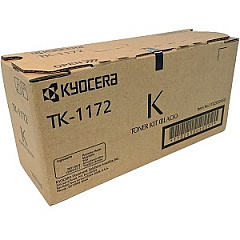
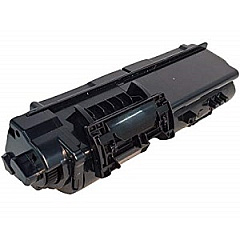
Enhance your printing experience with Imagistics Kyocera ECOSYS M2640idw Toner Cartridges, designed to deliver exceptional quality and reliability for your business, educational, healthcare, or government printing needs. These high-performance cartridges, including the Kyocera TK1172 Black Toner Cartridge, ensure crisp, professional-grade output for all your documents. The ECOSYS M2640idw multifunction printer combines efficiency with eco-friendly features, making it an ideal choice for environmentally conscious organizations. With its long-lasting components and low energy consumption, this printer helps reduce both operating costs and environmental impact. Whether you're printing reports, presentations, or everyday correspondence, Imagistics Kyocera ECOSYS M2640idw Toner Cartridges provide the reliability and quality you need to maintain productivity and make a lasting impression. Trust in the superior performance of these toner cartridges to keep your printing operations running smoothly and efficiently.

Imagistics Kyocera ECOSYS M2640idw Printers Supplies FAQs

  • What is the page yield of the Kyocera TK1172 Black Toner Cartridge?

    The Kyocera TK1172 Black Toner Cartridge typically yields around 7,200 pages at 5% coverage.

  • Is the Kyocera TK1172 compatible with other Kyocera printers?

    The TK1172 is specifically designed for the ECOSYS M2640idw and may not be compatible with other Kyocera printer models. Always check your printer's specifications for the correct cartridge.

  • How often should I replace the toner cartridge in my ECOSYS M2640idw?

    Replacement frequency depends on your printing volume. Monitor your printer's toner level indicator and replace when it indicates low toner or when print quality diminishes.

  • Are these toner cartridges environmentally friendly?

    Yes, Kyocera designs its toner cartridges with eco-friendly features, including recyclable materials and energy-efficient technology.

  • Can I use third-party toner cartridges in my ECOSYS M2640idw?

    While third-party cartridges may work, using genuine Kyocera toner cartridges ensures optimal performance and maintains your printer's warranty.

  • How do I install a new toner cartridge in the ECOSYS M2640idw?

    Open the front cover, remove the old cartridge, shake the new cartridge gently, remove the protective cover, and insert it into the printer until it clicks into place.

  • What should I do if I experience print quality issues?

    First, check if the toner is low. If not, try cleaning the printer's internal components or running a print quality diagnostic from the printer's menu.

  • Are these toner cartridges covered by a warranty?

    Yes, genuine Kyocera toner cartridges typically come with a manufacturer's warranty. Check the packaging or contact the seller for specific warranty details.

  • Can I recycle used toner cartridges?

    Yes, Kyocera offers a recycling program for used toner cartridges. Check their website or contact your local office supply store for recycling options.

  • How long can I store unused toner cartridges?

    Unopened toner cartridges can typically be stored for up to two years in a cool, dry place away from direct sunlight. Always check the expiration date on the packaging.

Warehouse Locations

Policy & Agreement | Copyright © 1995-2026 BlueDogInk.com
