





Ads

Imagistics Kyocera ECOSYS M2035dn Black Toner Cartridges

Imagistics Kyocera ECOSYS M2035dn Toner Set

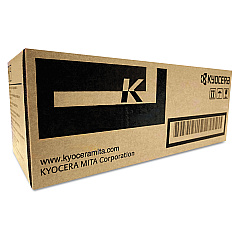
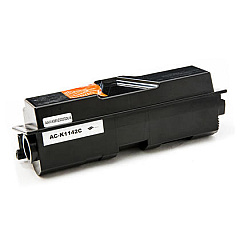
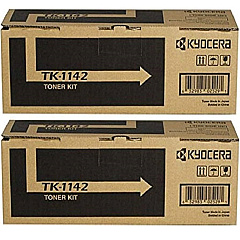
Enhance your printing efficiency with Imagistics Kyocera ECOSYS M2035dn Toner Cartridges. These high-quality supplies are designed to deliver exceptional results for your Kyocera ECOSYS M2035dn printer. The Kyocera MK1142 Maintenance Kit ensures your device operates at peak performance, while the Kyocera TK-1142 Black Toner Cartridge 2-Pack offers excellent value for high-volume printing needs. For standard usage, the Kyocera TK1142 Black Toner Cartridge provides crisp, clear text and graphics. These genuine Kyocera supplies are engineered to work seamlessly with your printer, minimizing downtime and maximizing productivity. Whether you're printing important business documents, educational materials, or healthcare records, these toner cartridges deliver consistent, professional-quality output. Invest in Imagistics Kyocera ECOSYS M2035dn Toner Cartridges to keep your printer running smoothly and your documents looking their best.

Imagistics Kyocera ECOSYS M2035dn Printers Supplies FAQs

  • What is the page yield of the Kyocera TK1142 Black Toner Cartridge?

    The Kyocera TK1142 Black Toner Cartridge typically yields approximately 7,200 pages at 5% coverage.

  • Are these toner cartridges compatible with other Kyocera printer models?

    These toner cartridges are specifically designed for the Imagistics Kyocera ECOSYS M2035dn printer. Always check your printer's compatibility before purchasing.

  • How often should I replace the Kyocera MK1142 Maintenance Kit?

    The maintenance kit should be replaced approximately every 100,000 pages, but this may vary depending on usage and print conditions.

  • Can I use third-party toner cartridges in my Kyocera ECOSYS M2035dn printer?

    While third-party cartridges may work, using genuine Kyocera toner cartridges ensures optimal print quality and prevents potential damage to your printer.

  • What's included in the Kyocera MK1142 Maintenance Kit?

    The maintenance kit typically includes a drum unit, developer unit, and other essential components to keep your printer running smoothly.

  • How do I install the toner cartridge in my Kyocera ECOSYS M2035dn printer?

    To install the toner cartridge, open the front cover, remove the old cartridge, shake the new cartridge gently, and insert it until it clicks into place.

  • Are these toner cartridges environmentally friendly?

    Yes, Kyocera toner cartridges are designed with environmental sustainability in mind, featuring recyclable components and energy-efficient technology.

  • What's the difference between the single TK1142 cartridge and the 2-Pack?

    The 2-Pack offers better value for high-volume users, providing two cartridges at a discounted price compared to buying them individually.

  • How long can I store unused toner cartridges?

    Unopened toner cartridges can typically be stored for up to two years in a cool, dry place away from direct sunlight.

  • Do these toner cartridges come with a warranty?

    Yes, genuine Kyocera toner cartridges come with a manufacturer's warranty against defects in materials and workmanship.

Warehouse Locations

Policy & Agreement | Copyright © 1995-2026 BlueDogInk.com
