





Ads

Imagistics 6535 EX Black Toner Cartridges

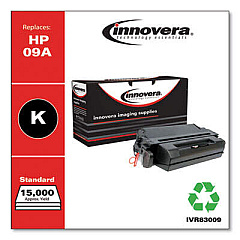
Enhance your printing efficiency with Imagistics 6535 EX Toner Cartridges, designed to deliver exceptional quality and reliability for your business needs. These high-performance cartridges, including the Innovera Remanufactured Black Toner, are compatible replacements for the 09A (C3909A) model, ensuring seamless integration with your Imagistics 6535 EX printer. Engineered to produce crisp, clear text and sharp images, these toner cartridges offer consistent results page after page. With their generous yield, you'll experience fewer interruptions and reduced downtime, allowing you to focus on your core business activities. Environmentally conscious organizations will appreciate the eco-friendly remanufactured options available, which help reduce waste without compromising on quality. Whether you're printing important documents, reports, or marketing materials, Imagistics 6535 EX Toner Cartridges provide the reliability and performance you need to maintain a professional image and streamline your printing processes.

Imagistics 6535 EX Toner Cartridges FAQs

  • Are Imagistics 6535 EX Toner Cartridges compatible with other printer models?

    These cartridges are specifically designed for the Imagistics 6535 EX printer. Always check your printer's compatibility before purchasing.

  • What is the expected page yield for these toner cartridges?

    The page yield can vary depending on the specific cartridge and printing habits. Check the product specifications for detailed yield information.

  • Are remanufactured toner cartridges as good as original equipment manufacturer (OEM) cartridges?

    Remanufactured cartridges like the Innovera model are designed to meet or exceed OEM standards, offering comparable quality at a lower cost.

  • How long do these toner cartridges last?

    The lifespan of a toner cartridge depends on usage frequency and print volume. Properly stored, unopened cartridges can last up to two years.

  • Can I recycle empty Imagistics 6535 EX Toner Cartridges?

    Yes, many retailers and manufacturers offer recycling programs for empty toner cartridges. Check with your local office supply store or the cartridge manufacturer for recycling options.

  • How do I install a new toner cartridge in my Imagistics 6535 EX printer?

    Consult your printer's user manual for specific instructions. Generally, you'll need to open the printer, remove the old cartridge, and insert the new one until it clicks into place.

  • What should I do if I experience print quality issues with these cartridges?

    First, ensure the cartridge is properly installed. If issues persist, try printing a test page or cleaning the printer heads. If problems continue, contact customer support.

  • Are these toner cartridges covered by a warranty?

    Most toner cartridges come with a standard warranty. Check the product packaging or manufacturer's website for specific warranty information.

  • Can I use third-party toner cartridges without voiding my printer's warranty?

    Using third-party cartridges typically doesn't void your printer's warranty. However, any damage caused by a third-party cartridge may not be covered under the printer's warranty.

  • How should I store unused toner cartridges?

    Store unused cartridges in a cool, dry place away from direct sunlight. Keep them in their original packaging until ready for use to protect them from dust and damage.

Warehouse Locations

Policy & Agreement | Copyright © 1995-2026 BlueDogInk.com
