









Ads

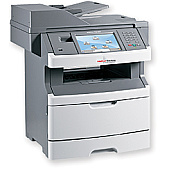
IBM InfoPrint 1930 MFP Copy Paper

Ensure uninterrupted productivity with high-quality IBM InfoPrint 1930 MFP Toner Cartridges. These reliable consumables are designed specifically for the IBM InfoPrint 1930 MFP, delivering crisp, professional-grade prints for your business, educational institution, government office, healthcare facility, or wholesale operation. The IBM 39V3207 Photoconductor is a key component in maintaining optimal print quality and longevity. By choosing genuine IBM supplies, you guarantee consistent performance and minimize the risk of printer damage. These toner cartridges offer excellent page yield, reducing the frequency of replacements and lowering your overall printing costs. Whether you're printing important documents, reports, or marketing materials, IBM InfoPrint 1930 MFP Toner Cartridges provide the clarity and durability you need. Invest in these top-tier consumables to maximize your printer's potential and keep your operations running smoothly.

IBM InfoPrint 1930 MFP Toner Cartridges FAQs

  • What is the page yield of the IBM InfoPrint 1930 MFP Toner Cartridges?

    The page yield varies depending on the specific cartridge model. Please refer to the product specifications for accurate yield information.

  • Are these toner cartridges compatible with other IBM printer models?

    These cartridges are specifically designed for the IBM InfoPrint 1930 MFP. Always check compatibility before purchasing for other models.

  • How often should I replace the IBM 39V3207 Photoconductor?

    The replacement frequency depends on usage. Generally, it should be replaced after processing a certain number of pages or when print quality deteriorates.

  • Can I use third-party toner cartridges in my IBM InfoPrint 1930 MFP?

    While third-party cartridges may work, using genuine IBM cartridges ensures optimal performance and protects your printer's warranty.

  • How do I install the toner cartridge in the IBM InfoPrint 1930 MFP?

    Refer to your printer's user manual for step-by-step installation instructions. Generally, it involves opening the printer, removing the old cartridge, and inserting the new one.

  • What should I do with used toner cartridges?

    IBM offers a recycling program for used cartridges. You can also check with local recycling centers for proper disposal options.

  • How long can I store unused toner cartridges?

    Unopened toner cartridges can typically be stored for up to two years. Store them in a cool, dry place away from direct sunlight.

  • Are these toner cartridges environmentally friendly?

    IBM is committed to environmental sustainability. Their cartridges are designed to minimize environmental impact and can be recycled through their recycling program.

  • What should I do if I experience print quality issues?

    First, ensure you're using genuine IBM cartridges. If issues persist, clean the printer and check for any error messages. Consult the user manual or contact IBM support for further assistance.

  • Do these cartridges come with a warranty?

    Yes, genuine IBM toner cartridges come with a warranty. Check the product packaging or IBM's website for specific warranty details.

Warehouse Locations

Policy & Agreement | Copyright © 1995-2026 BlueDogInk.com
