





Ads

HP Scanjet Pro 3500f1 Maintenance Kits

HP Scanjet Pro 3500f1 Warranty and Services

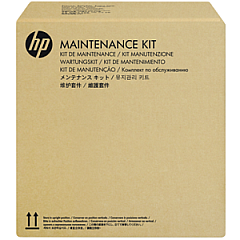
Enhance your document management efficiency with HP Scanjet Pro 3500f1 Printers Supplies. This high-performance scanner is designed to meet the demanding needs of businesses, educational institutions, government offices, healthcare facilities, and wholesale operations. The HP Scanjet Pro 3500f1 offers fast, reliable scanning with its advanced features and durable construction. To maintain peak performance, it's essential to use genuine HP supplies, such as the HP L2742A ADF Roller Replacement Kit. This kit ensures smooth paper feeding and prevents misfeeds, keeping your scanning operations running smoothly. By investing in quality HP Scanjet Pro 3500f1 Printers Supplies, you'll maximize productivity, reduce downtime, and produce consistently high-quality scans. Whether you're digitizing important documents, archiving records, or streamlining your workflow, trust in HP's superior technology and supplies to deliver exceptional results every time.

HP Scanjet Pro 3500f1 Printers Supplies FAQs

  • How often should I replace the ADF roller on my HP Scanjet Pro 3500f1?

    HP recommends replacing the ADF roller after approximately 100,000 scans or if you notice frequent paper jams or misfeeds.

  • Is the HP L2742A ADF Roller Replacement Kit compatible with other HP scanner models?

    The HP L2742A kit is specifically designed for the HP Scanjet Pro 3500f1. Always check your scanner's documentation for compatible supplies.

  • Can I use third-party roller replacement kits instead of the HP L2742A?

    While third-party options may be available, using genuine HP supplies ensures optimal performance and maintains your warranty coverage.

  • How do I know when it's time to replace the ADF roller?

    Signs that indicate it's time to replace the roller include frequent paper jams, multiple pages feeding at once, or visible wear on the roller surface.

  • What's included in the HP L2742A ADF Roller Replacement Kit?

    The kit typically includes the replacement roller and separation pad, along with installation instructions.

  • Can I replace the ADF roller myself, or do I need a technician?

    The replacement process is designed to be user-friendly, and most users can replace the roller themselves by following the provided instructions.

  • How long does it take to replace the ADF roller?

    The replacement process usually takes about 10-15 minutes for someone familiar with the procedure.

  • Will using non-HP supplies void my scanner's warranty?

    Using non-HP supplies may void your warranty. It's best to use genuine HP supplies to maintain warranty coverage and ensure optimal performance.

  • Can I clean the ADF roller instead of replacing it?

    Regular cleaning can extend the life of the roller, but eventually, replacement will be necessary for optimal performance.

  • Where can I find installation instructions for the HP L2742A ADF Roller Replacement Kit?

    Installation instructions are typically included in the kit. You can also find them in your scanner's user manual or on HP's support website.

Warehouse Locations

Policy & Agreement | Copyright © 1995-2026 BlueDogInk.com
