




Ads

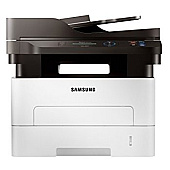
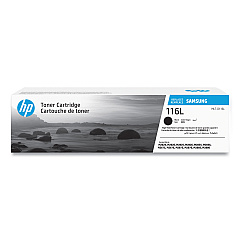
HP Samsung Xpress M2875DW Black Toner Cartridges

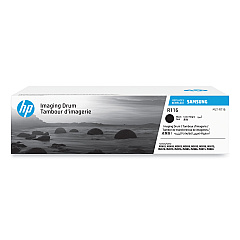
HP Samsung Xpress M2875DW Drum Units

Ensure uninterrupted productivity with genuine HP Samsung Xpress M2875DW Toner Cartridges. These high-quality consumables are specifically designed for optimal performance in your M2875DW printer, delivering crisp, professional-grade prints every time. The HP Samsung SU832A Black Toner Cartridge offers exceptional yield and coverage, while the HP Samsung SV134A Imaging Unit ensures long-lasting image quality. By choosing authentic HP Samsung supplies, you'll maximize your printer's efficiency and extend its lifespan. These cartridges are perfect for businesses, educational institutions, government offices, healthcare facilities, and wholesale operations that demand reliable, high-volume printing. Experience the perfect balance of affordability and quality with HP Samsung Xpress M2875DW Toner Cartridges, designed to meet the diverse needs of your organization while maintaining consistent, superior print results.

HP Samsung Xpress M2875DW Toner Cartridges FAQs

  • What is the page yield of the HP Samsung SU832A Black Toner Cartridge?

    The HP Samsung SU832A Black Toner Cartridge typically yields around 3,000 pages at 5% coverage.

  • Is the HP Samsung SV134A Imaging Unit compatible with other printer models?

    The HP Samsung SV134A Imaging Unit is designed specifically for the Xpress M2875DW and may be compatible with some other Samsung printer models. Always check your printer's specifications for compatibility.

  • How often should I replace the imaging unit?

    The imaging unit typically needs replacement after processing about 9,000 pages, but this can vary based on usage patterns and print content.

  • Are these toner cartridges genuine HP Samsung products?

    Yes, the toner cartridges sold on BlueDogInk.com for the HP Samsung Xpress M2875DW are genuine HP Samsung products.

  • Can I use third-party or refilled cartridges in my HP Samsung Xpress M2875DW?

    While third-party cartridges may work, using genuine HP Samsung cartridges ensures optimal print quality and prevents potential damage to your printer.

  • How do I install the toner cartridge in my HP Samsung Xpress M2875DW?

    To install the toner cartridge, open the front cover, remove the old cartridge, unpack the new one, and insert it until it clicks into place. Then close the cover.

  • What should I do with my used toner cartridges?

    HP offers a recycling program for used toner cartridges. You can return them to HP or participating retailers for environmentally friendly disposal.

  • How long do unopened toner cartridges last?

    Unopened toner cartridges can last up to two years if stored properly in a cool, dry place away from direct sunlight.

  • Does BlueDogInk.com offer bulk discounts on these toner cartridges?

    Yes, BlueDogInk.com often provides discounts for bulk purchases. Check their website or contact customer service for current offers.

  • Are these toner cartridges covered by a warranty?

    Yes, genuine HP Samsung toner cartridges come with a standard warranty against defects in materials and workmanship.

Warehouse Locations

Policy & Agreement | Copyright © 1995-2026 BlueDogInk.com
