




Ads

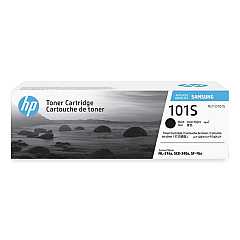
HP Samsung ML-2165W Black Toner Cartridges

Ensure uninterrupted printing with genuine HP Samsung ML-2165W Toner Cartridges. These high-quality cartridges are specifically designed for the compact and efficient ML-2165W printer, perfect for small businesses, home offices, and educational institutions. The HP Samsung SU700A Black Toner Cartridge delivers crisp, professional-quality text and graphics, making it ideal for reports, invoices, and everyday documents. With a yield of up to 1,500 pages, these cartridges offer excellent value for money and reduce the frequency of replacements. Compatible with Samsung's eco-friendly printing features, they help minimize environmental impact while maintaining superior print quality. Trust in the reliability and consistency of genuine HP Samsung ML-2165W Toner Cartridges to keep your printing operations smooth and productive, whether you're in a bustling office or a quiet study environment.

HP Samsung ML-2165W Toner Cartridges FAQs

  • What is the page yield of the HP Samsung SU700A Black Toner Cartridge?

    The HP Samsung SU700A Black Toner Cartridge has a yield of up to 1,500 pages.

  • Is this toner cartridge compatible with other Samsung printer models?

    This cartridge is specifically designed for the HP Samsung ML-2165W printer. Always check your printer's compatibility before purchasing.

  • How can I tell if my toner cartridge is genuine?

    Genuine HP Samsung cartridges come with security features like holograms and QR codes. You can also verify the authenticity on the HP website.

  • What should I do with my used toner cartridge?

    HP offers a recycling program for used cartridges. You can return them for free recycling through their website or participating retailers.

  • How long does a toner cartridge last before it expires?

    Unopened toner cartridges typically have a shelf life of about two years. Once installed, it's best to use them within six months for optimal print quality.

  • Can I use third-party or refilled cartridges in my HP Samsung ML-2165W printer?

    While third-party cartridges may work, using genuine HP Samsung cartridges ensures the best print quality and protects your printer's warranty.

  • How do I install the toner cartridge in my ML-2165W printer?

    Open the front cover, remove the old cartridge, unpack the new one, and insert it until it clicks into place. Close the cover to complete installation.

  • What should I do if my prints are coming out faded or streaky?

    Try redistributing the toner by gently shaking the cartridge. If the problem persists, it may be time to replace the cartridge.

  • Is the HP Samsung SU700A Black Toner Cartridge eco-friendly?

    Yes, it's designed to work with Samsung's eco-friendly printing features, helping to reduce environmental impact.

  • Can I buy these cartridges in bulk for my business?

    Yes, many suppliers offer bulk purchasing options for businesses. Contact the retailer directly for bulk pricing and availability.

Warehouse Locations

Policy & Agreement | Copyright © 1995-2026 BlueDogInk.com
