





Ads

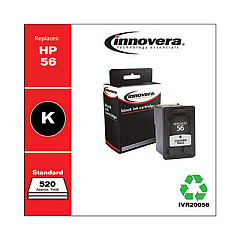
HP PSC 2510 Photosmart All-in-One Black Ink Cartridges

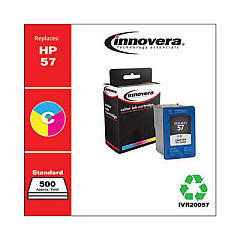
HP PSC 2510 Photosmart All-in-One Color Ink Cartridges

HP PSC 2510 Photosmart All-in-One Warranty and Services

  • HP UQ208E Exchange Warranty

    Item UQ208E

    HP UQ208E Exchange Warranty

    HP Electronic Care Pack (Next Business Day Exchange) (Hardware Support) (2 Year)..

    Status

    In Stock

    $44.99

  • HP UQ209E Exchange Warranty

    Item UQ209E

    HP UQ209E Exchange Warranty

    HP Electronic Care Pack (Next Business Day Exchange) (Enhanced Technical Phone S..

    Status

    In Stock

    $59.99

Enhance your printing experience with genuine HP PSC 2510 Photosmart All-in-One Ink Cartridges. These high-quality cartridges are designed specifically for your HP PSC 2510 Photosmart All-in-One printer, ensuring optimal performance and stunning results. The set includes the HP C6656AN Black Ink Cartridge for crisp text and sharp graphics, and the HP C6657AN Tri-Color Ink Cartridge for vibrant, true-to-life color prints. Whether you're printing important documents for your business, educational materials for your classroom, or medical records for your healthcare facility, these cartridges deliver consistent, professional-quality output. With their reliable performance and long-lasting results, HP PSC 2510 Photosmart All-in-One Ink Cartridges are the perfect choice for all your printing needs, from small offices to large government agencies and wholesale operations.

HP PSC 2510 Photosmart All-in-One Printers Supplies FAQs

  • How long do HP PSC 2510 Photosmart All-in-One Ink Cartridges typically last?

    The lifespan of these cartridges depends on usage, but they generally last for several hundred pages.

  • Are these cartridges compatible with other HP printer models?

    These cartridges are specifically designed for the HP PSC 2510 Photosmart All-in-One printer. Always check your printer's compatibility before purchasing.

  • Can I use third-party ink cartridges instead of genuine HP cartridges?

    While third-party cartridges may work, using genuine HP cartridges ensures the best print quality and printer performance.

  • How do I install these ink cartridges?

    Open the printer's front cover, remove the old cartridges, and insert the new ones until they click into place. Follow the printer's on-screen instructions for alignment.

  • What's the difference between the black and tri-color cartridges?

    The black cartridge (C6656AN) is used for monochrome printing, while the tri-color cartridge (C6657AN) contains cyan, magenta, and yellow inks for color printing.

  • How can I extend the life of my ink cartridges?

    Print only when necessary, use draft mode for non-critical documents, and keep your printer maintained to optimize ink usage.

  • Are these cartridges environmentally friendly?

    HP offers a recycling program for used cartridges, helping to reduce environmental impact.

  • What should I do if my printer doesn't recognize the new cartridge?

    Try removing and reinserting the cartridge, cleaning the contacts, or updating your printer's firmware. If issues persist, contact HP support.

  • Can I buy these cartridges in bulk for my business?

    Yes, bulk purchasing options are available for businesses and organizations with high-volume printing needs.

  • What's the shelf life of unopened ink cartridges?

    Unopened cartridges typically last up to 24 months. Always check the expiration date on the package before use.

Warehouse Locations

Policy & Agreement | Copyright © 1995-2026 BlueDogInk.com
