





Ads

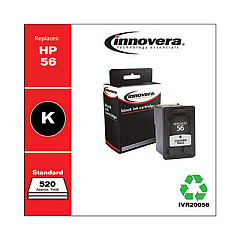
HP PSC 2410v Photosmart All-in-One Black Ink Cartridges

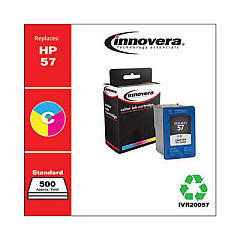
HP PSC 2410v Photosmart All-in-One Color Ink Cartridges

HP PSC 2410v Photosmart All-in-One Warranty and Services

  • HP UQ208E Exchange Warranty

    Item UQ208E

    HP UQ208E Exchange Warranty

    HP Electronic Care Pack (Next Business Day Exchange) (Hardware Support) (2 Year)..

    Status

    In Stock

    $44.99

  • HP UQ209E Exchange Warranty

    Item UQ209E

    HP UQ209E Exchange Warranty

    HP Electronic Care Pack (Next Business Day Exchange) (Enhanced Technical Phone S..

    Status

    In Stock

    $59.99

Enhance your printing experience with genuine HP PSC 2410v Photosmart All-in-One Ink Cartridges. These high-quality cartridges are designed specifically for your HP PSC 2410v Photosmart All-in-One printer, ensuring optimal performance and stunning results. The set includes the HP C6656AN Black Ink Cartridge for crisp text and sharp graphics, and the HP C6657AN Tri-Color Ink Cartridge for vibrant, true-to-life color prints. Whether you're printing important documents for your business, school projects, or cherished family photos, these cartridges deliver exceptional print quality and reliability. With long-lasting ink formulations, you'll enjoy consistent output and reduced printing costs. Trust in the superior quality of genuine HP ink cartridges to bring your ideas to life and make a lasting impression. Upgrade your printing capabilities today with HP PSC 2410v Photosmart All-in-One Ink Cartridges.

HP PSC 2410v Photosmart All-in-One Printers Supplies FAQs

  • How long do HP PSC 2410v Photosmart All-in-One Ink Cartridges typically last?

    The lifespan of ink cartridges varies depending on usage, but on average, they can last for 200-300 pages for black ink and 150-200 pages for color ink.

  • Are these ink cartridges compatible with other HP printer models?

    These cartridges are specifically designed for the HP PSC 2410v Photosmart All-in-One. Always check your printer's compatibility before purchasing ink cartridges.

  • Can I use third-party ink cartridges instead of genuine HP cartridges?

    While third-party cartridges may work, using genuine HP cartridges ensures the best print quality and helps maintain your printer's warranty.

  • How do I install these ink cartridges in my HP PSC 2410v Photosmart All-in-One?

    Open the printer's front access door, remove the old cartridges, insert the new ones into their respective slots, and close the access door. The printer will automatically align the cartridges.

  • What should I do if my printer doesn't recognize the new ink cartridges?

    Try removing and reinserting the cartridges, cleaning the cartridge contacts, or running the printer's alignment process. If issues persist, contact HP support.

  • How can I extend the life of my ink cartridges?

    Print in draft mode for non-essential documents, maintain your printer regularly, and avoid leaving the printer idle for long periods to prevent ink from drying out.

  • Are these ink cartridges environmentally friendly?

    HP offers a recycling program for used ink cartridges, helping to reduce environmental impact. Check HP's website for details on their recycling initiatives.

  • What's the difference between the black and tri-color cartridges?

    The black cartridge (C6656AN) contains only black ink for text and monochrome printing, while the tri-color cartridge (C6657AN) contains cyan, magenta, and yellow inks for color printing.

  • How do I know when it's time to replace my ink cartridges?

    Your printer will display a low ink warning. You may also notice a decrease in print quality or faded prints, indicating it's time for replacement.

  • Can I buy these cartridges in bulk for my business?

    Yes, many suppliers offer bulk purchasing options for businesses. Contact the retailer or HP directly for information on bulk orders and potential discounts.

Warehouse Locations

Policy & Agreement | Copyright © 1995-2026 BlueDogInk.com
