





Ads

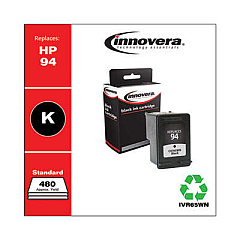
HP PSC 2355xi All-in-One Black Ink Cartridges

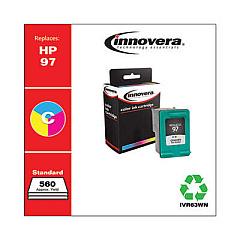
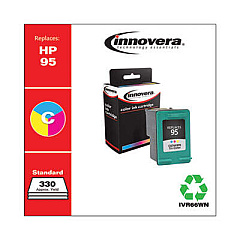
HP PSC 2355xi All-in-One Color Ink Cartridges

HP PSC 2355xi All-in-One Warranty and Services

  • HP UQ208E Exchange Warranty

    Item UQ208E

    HP UQ208E Exchange Warranty

    HP Electronic Care Pack (Next Business Day Exchange) (Hardware Support) (2 Year)..

    Status

    In Stock

    $44.99

  • HP UQ209E Exchange Warranty

    Item UQ209E

    HP UQ209E Exchange Warranty

    HP Electronic Care Pack (Next Business Day Exchange) (Enhanced Technical Phone S..

    Status

    In Stock

    $59.99

Enhance your printing experience with genuine HP PSC 2355xi All-in-One Ink Cartridges. These high-quality cartridges are designed specifically for your HP PSC 2355xi All-in-One printer, ensuring optimal performance and stunning results. Choose from the HP C8765WN Black Ink Cartridge for crisp text and sharp documents, or the HP C8766WN and HP C9363WN Tricolor Ink Cartridges for vibrant, true-to-life color prints. These cartridges deliver exceptional page yields and fast-drying, smudge-resistant output, making them ideal for both home and office use. With HP's innovative ink formulation, you'll enjoy consistent, professional-quality prints every time. Don't settle for subpar alternatives – trust the reliability and superior print quality of genuine HP PSC 2355xi All-in-One Ink Cartridges to bring your documents and photos to life.

HP PSC 2355xi All-in-One Printers Supplies FAQs

  • How long do HP PSC 2355xi All-in-One Ink Cartridges typically last?

    The lifespan of ink cartridges varies depending on usage, but on average, they can last 3-6 months for regular home use.

  • Are these ink cartridges compatible with other HP printer models?

    These cartridges are specifically designed for the HP PSC 2355xi All-in-One printer. Always check your printer's compatibility before purchasing.

  • Can I use third-party ink cartridges in my HP PSC 2355xi All-in-One printer?

    While third-party cartridges may work, using genuine HP cartridges ensures the best print quality and prevents potential damage to your printer.

  • How do I install the ink cartridges in my HP PSC 2355xi All-in-One printer?

    Open the printer's front cover, wait for the cartridge holder to move to the center, then insert the cartridges into their respective slots until they click into place.

  • What's the difference between the HP C8766WN and HP C9363WN Tricolor Ink Cartridges?

    The HP C9363WN typically has a higher page yield and may be more suitable for users who print frequently or require higher-quality photo prints.

  • How can I extend the life of my HP PSC 2355xi All-in-One Ink Cartridges?

    Print only when necessary, use draft mode for non-essential documents, and keep the printer's printhead clean to maximize cartridge life.

  • Are these ink cartridges environmentally friendly?

    HP offers a recycling program for used cartridges, helping to reduce environmental impact. Check HP's website for details on their recycling initiatives.

  • What should I do if my printer doesn't recognize the new ink cartridge?

    Try removing and reinserting the cartridge, cleaning the cartridge contacts, or updating your printer's firmware. If issues persist, contact HP support.

  • How many pages can I print with each cartridge?

    Page yield varies depending on the specific cartridge and print content. Check the product specifications for estimated page yields under standard conditions.

  • Do these ink cartridges come with a warranty?

    Yes, genuine HP ink cartridges typically come with a warranty. Check the packaging or HP's website for specific warranty information.

Warehouse Locations

Policy & Agreement | Copyright © 1995-2026 BlueDogInk.com
