




Ads

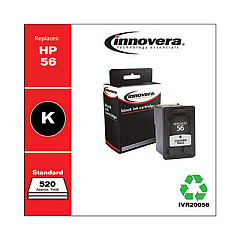
HP PSC 2210xi Black Ink Cartridges

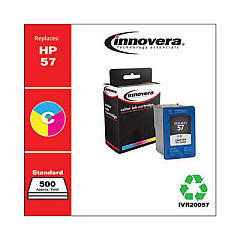
HP PSC 2210xi Color Ink Cartridges

Ensure your HP PSC 2210xi All-in-One printer continues to deliver exceptional prints with genuine HP PSC 2210xi Ink Cartridges from BlueDogInk.com. Our selection includes the HP C6656AN Black Ink Cartridge and HP C6657AN Tri-Color Ink Cartridge, designed specifically for optimal performance in your device. These high-quality cartridges produce crisp text and vibrant colors, perfect for both professional documents and photo printing. With our competitive pricing and reliable shipping, you can trust BlueDogInk.com to keep your printer running smoothly. Don't compromise on quality – choose authentic HP ink cartridges for your PSC 2210xi and experience the difference in your prints. Order now and enjoy the convenience of having your ink delivered right to your door, ensuring you're always ready for your next printing task.

HP PSC 2210xi Printers Supplies FAQs

  • How long do HP PSC 2210xi ink cartridges typically last?

    The lifespan of ink cartridges varies depending on usage, but on average, they can last for about 200-300 pages for black ink and 150-200 pages for color ink.

  • Are remanufactured ink cartridges compatible with the HP PSC 2210xi?

    While remanufactured cartridges may work, we recommend using genuine HP ink cartridges for optimal performance and print quality.

  • How can I tell if my HP PSC 2210xi ink cartridge is running low?

    Your printer software will typically alert you when ink levels are low. You can also check ink levels through the printer's control panel.

  • Can I use HP Instant Ink with the PSC 2210xi printer?

    No, the HP PSC 2210xi is not compatible with the HP Instant Ink program.

  • What's the difference between the black and tri-color cartridges?

    The black cartridge (C6656AN) contains only black ink, while the tri-color cartridge (C6657AN) contains cyan, magenta, and yellow inks.

  • How should I store unused ink cartridges?

    Store cartridges in their original sealed packaging at room temperature, away from direct sunlight and heat sources.

  • Can I recycle my used HP PSC 2210xi ink cartridges?

    Yes, HP offers a free recycling program for used ink cartridges. You can drop them off at participating retailers or request a free shipping label from HP.

  • What should I do if my printer doesn't recognize the new ink cartridge?

    Try removing and reinserting the cartridge, cleaning the contacts, or running the printer's alignment process. If issues persist, contact HP support.

  • How often should I replace my HP PSC 2210xi ink cartridges?

    Replace cartridges when print quality diminishes or when the printer indicates low ink levels. This frequency depends on your printing habits.

  • Are HP PSC 2210xi ink cartridges covered under warranty?

    Yes, genuine HP ink cartridges are typically covered under warranty for defects in materials and workmanship. Check the packaging for specific warranty details.

Warehouse Locations

Policy & Agreement | Copyright © 1995-2026 BlueDogInk.com
