




Ads

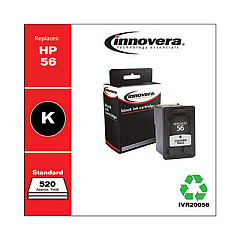
HP PSC 2210v All-in-One Black Ink Cartridges

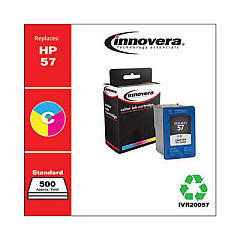
HP PSC 2210v All-in-One Color Ink Cartridges

Discover premium HP PSC 2210v All-in-One Ink Cartridges for your versatile printing needs. This all-in-one solution offers exceptional print quality for businesses, schools, government offices, and healthcare facilities. The HP C6656AN Black Ink Cartridge delivers crisp, professional text, while the HP C6657AN Tri-Color Ink Cartridge produces vibrant, true-to-life images. These cartridges are designed to work seamlessly with your HP PSC 2210v All-in-One printer, ensuring optimal performance and longevity. Whether you're printing important documents, colorful presentations, or high-quality photos, these ink cartridges provide reliable results every time. With their easy installation and high page yield, you'll experience fewer interruptions and more productivity. Choose genuine HP ink cartridges for consistent, superior print quality and protect your printer's warranty. Upgrade your printing experience with HP PSC 2210v All-in-One Ink Cartridges today.

HP PSC 2210v All-in-One Printers Supplies FAQs

  • What ink cartridges are compatible with the HP PSC 2210v All-in-One printer?

    The HP PSC 2210v All-in-One printer is compatible with the HP C6656AN Black Ink Cartridge and the HP C6657AN Tri-Color Ink Cartridge.

  • How long do these ink cartridges typically last?

    The lifespan of the cartridges depends on usage, but on average, they can print several hundred pages before needing replacement.

  • Can I use third-party ink cartridges with my HP PSC 2210v All-in-One printer?

    While third-party cartridges may work, using genuine HP ink cartridges is recommended to ensure optimal print quality and to maintain your printer's warranty.

  • How do I install these ink cartridges?

    Installation is simple. Open the printer's cartridge access door, remove the old cartridge, insert the new one until it clicks into place, and close the access door.

  • Are these ink cartridges recyclable?

    Yes, HP offers a recycling program for used ink cartridges. You can return them to HP or participating retailers for proper recycling.

  • What's the difference between the black and tri-color cartridges?

    The black cartridge (C6656AN) is used for monochrome printing, while the tri-color cartridge (C6657AN) contains cyan, magenta, and yellow inks for color printing.

  • Can I buy these cartridges in bulk?

    Yes, many retailers offer multi-pack options for these cartridges, which can be more cost-effective for high-volume users.

  • How can I extend the life of my ink cartridges?

    To extend cartridge life, print in draft mode when possible, avoid leaving the printer idle for long periods, and store unused cartridges in a cool, dry place.

  • What should I do if my printer doesn't recognize the new cartridge?

    Try removing and reinserting the cartridge, cleaning the cartridge contacts, or running the printer's alignment process. If issues persist, contact HP support.

  • Are these cartridges covered by a warranty?

    Yes, genuine HP ink cartridges come with a warranty against defects in materials and workmanship for the period of the cartridge's shelf life or until the HP ink is depleted, whichever occurs first.

Warehouse Locations

Policy & Agreement | Copyright © 1995-2026 BlueDogInk.com
