




Ads

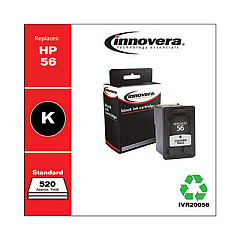
HP PSC 2175xi Black Ink Cartridges

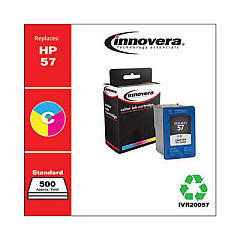
HP PSC 2175xi Color Ink Cartridges

Ensure your HP PSC 2175xi all-in-one printer continues to deliver exceptional prints with genuine HP PSC 2175xi Ink Cartridges from BlueDogInk.com. Our selection includes the essential HP C6656AN Black Ink Cartridge and HP C6657AN Tri-Color Ink Cartridge, designed specifically for optimal performance in your device. These high-quality cartridges produce crisp text and vibrant colors, perfect for both professional documents and creative projects. With our competitive pricing and reliable shipping, you can keep your printer running smoothly without breaking the bank. Don't compromise on quality – choose authentic HP ink cartridges to maintain your printer's longevity and output consistency. Whether you're printing reports, photos, or everyday documents, our HP PSC 2175xi Ink Cartridges will help you achieve professional results every time. Stock up now and enjoy uninterrupted printing for all your home or office needs.

HP PSC 2175xi Printers Supplies FAQs

  • How long do HP PSC 2175xi ink cartridges typically last?

    The lifespan of ink cartridges varies depending on usage, but on average, they can last for 200-300 pages for black ink and 150-200 pages for color ink.

  • Are these ink cartridges compatible with other HP printer models?

    While these cartridges are designed for the HP PSC 2175xi, they may be compatible with other HP models. Check your printer's manual or our website for a compatibility list.

  • Can I use third-party ink cartridges in my HP PSC 2175xi printer?

    While third-party cartridges may work, we recommend using genuine HP ink cartridges for optimal print quality and to avoid potential damage to your printer.

  • How do I install new ink cartridges in my HP PSC 2175xi printer?

    Open the printer's front cover, wait for the cartridge carrier to move to the center, remove the old cartridges, and insert the new ones until they click into place.

  • What's the difference between the black and tri-color cartridges?

    The black cartridge (C6656AN) contains only black ink, while the tri-color cartridge (C6657AN) contains cyan, magenta, and yellow inks for color printing.

  • How can I extend the life of my ink cartridges?

    To extend cartridge life, print in draft mode when possible, avoid leaving the printer idle for long periods, and store unused cartridges in a cool, dry place.

  • Do you offer a warranty on these ink cartridges?

    Yes, we offer a 100% satisfaction guarantee on all genuine HP ink cartridges purchased from BlueDogInk.com.

  • Can I recycle my used ink cartridges?

    Yes, HP offers a free recycling program for used ink cartridges. You can also check with local office supply stores for recycling options.

  • What should I do if my printer doesn't recognize the new cartridge?

    Try removing and reinserting the cartridge, cleaning the contacts, or running the printer's alignment process. If issues persist, contact HP support.

  • Do you offer bulk discounts on HP PSC 2175xi ink cartridges?

    Yes, we offer discounts on bulk purchases. Please check our website or contact our customer service for current promotions and volume pricing.

Warehouse Locations

Policy & Agreement | Copyright © 1995-2026 BlueDogInk.com
