





Ads

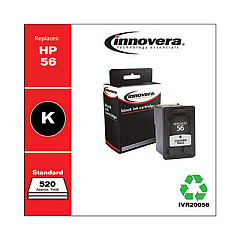
HP PSC 2175xi All-in-One Black Ink Cartridges

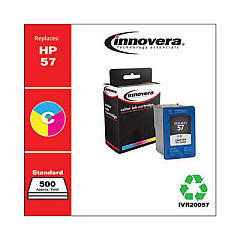
HP PSC 2175xi All-in-One Color Ink Cartridges

HP PSC 2175xi All-in-One Warranty and Services

  • HP UQ209E Exchange Warranty

    Item UQ209E

    HP UQ209E Exchange Warranty

    HP Electronic Care Pack (Next Business Day Exchange) (Enhanced Technical Phone S..

    Status

    In Stock

    $59.99

Discover superior print quality with HP PSC 2175xi All-in-One Ink Cartridges. This versatile all-in-one printer, scanner, and copier demands reliable ink supplies to maintain its exceptional performance. Our selection includes the essential HP C6656AN Black Ink Cartridge and HP C6657AN Tri-Color Ink Cartridge, ensuring vibrant colors and crisp text for all your printing needs. Whether you're a small business owner, educator, healthcare professional, or government agency, these genuine HP cartridges deliver consistent results page after page. The black cartridge offers sharp, professional-looking documents, while the tri-color cartridge produces stunning photos and graphics. With these high-quality ink cartridges, your HP PSC 2175xi All-in-One will continue to be a dependable workhorse for all your printing, scanning, and copying tasks. Don't compromise on quality – choose authentic HP ink cartridges for optimal performance and longevity.

HP PSC 2175xi All-in-One Printers Supplies FAQs

  • How often should I replace the ink cartridges in my HP PSC 2175xi All-in-One?

    Replacement frequency depends on usage, but typically every 3-6 months for average use. Monitor print quality and low ink warnings for timely replacements.

  • Can I use third-party ink cartridges in my HP PSC 2175xi All-in-One?

    While third-party cartridges may work, HP recommends using genuine HP ink cartridges for optimal print quality and to protect your printer's warranty.

  • How many pages can I print with the HP C6656AN Black Ink Cartridge?

    The HP C6656AN Black Ink Cartridge typically yields around 520 pages, depending on print density and content.

  • What's the page yield for the HP C6657AN Tri-Color Ink Cartridge?

    The HP C6657AN Tri-Color Ink Cartridge has an approximate yield of 400 pages, varying based on the types of images printed.

  • Are these ink cartridges compatible with other HP printer models?

    Yes, these cartridges are compatible with several HP printer models. Check your printer's manual or HP's website for a full list of compatible devices.

  • How long do unopened ink cartridges last?

    Unopened ink cartridges typically last up to 24 months from the date of manufacture when stored properly in a cool, dry place.

  • Can I recycle used ink cartridges?

    Yes, HP offers a free recycling program for used ink cartridges. Visit HP's website or check with local office supply stores for recycling options.

  • What should I do if my printer doesn't recognize the new ink cartridge?

    Try removing and reinserting the cartridge, cleaning the contacts, or running the printer's alignment process. If issues persist, contact HP support.

  • Is it necessary to replace both cartridges at the same time?

    Not always. You can replace individual cartridges as needed, but replacing both simultaneously can ensure consistent print quality.

  • How can I extend the life of my ink cartridges?

    Print in draft mode for non-critical documents, maintain your printer regularly, and avoid leaving the printer idle for long periods to prevent ink from drying out.

Warehouse Locations

Policy & Agreement | Copyright © 1995-2026 BlueDogInk.com
