





Ads

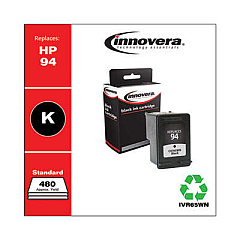
HP PSC 1610v All-in-One Black Ink Cartridges

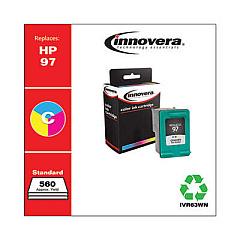
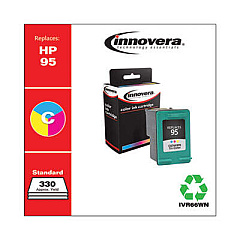
HP PSC 1610v All-in-One Color Ink Cartridges

HP PSC 1610v All-in-One Warranty and Services

  • HP UQ209E Exchange Warranty

    Item UQ209E

    HP UQ209E Exchange Warranty

    HP Electronic Care Pack (Next Business Day Exchange) (Enhanced Technical Phone S..

    Status

    In Stock

    $59.99

Ensure top-quality prints with genuine HP PSC 1610v All-in-One Ink Cartridges. This versatile all-in-one printer demands reliable ink supplies to deliver crisp text and vibrant images. Compatible cartridges include the HP C8765WN Black Ink Cartridge for sharp text and line drawings, and the HP C8766WN and HP C9363WN Tricolor Ink Cartridges for stunning color photos and graphics. These cartridges are designed specifically for the HP PSC 1610v, guaranteeing optimal performance and longevity. Whether you're printing important documents, school projects, or cherished family photos, these ink cartridges ensure consistent, high-quality results. With easy installation and efficient page yields, these cartridges offer convenience and value. Trust in the reliability of genuine HP ink to keep your PSC 1610v All-in-One running smoothly and producing professional-grade prints every time.

HP PSC 1610v All-in-One Printers Supplies FAQs

  • How often should I replace the ink cartridges in my HP PSC 1610v All-in-One?

    Replace cartridges when print quality diminishes or when the printer indicates low ink levels, typically every 3-6 months for average users.

  • Can I use non-HP ink cartridges in my PSC 1610v?

    While third-party cartridges may work, HP recommends using genuine HP cartridges for optimal print quality and to protect your printer's warranty.

  • What's the difference between the HP C8766WN and HP C9363WN Tricolor Ink Cartridges?

    The C9363WN typically has a higher page yield and may be better suited for users who print frequently or require higher quality color prints.

  • How do I install new ink cartridges in the HP PSC 1610v?

    Open the cartridge access door, wait for the carriage to move to the center, remove the old cartridge, insert the new one, and close the door. The printer will align the cartridges automatically.

  • What should I do if my prints are coming out faded or streaky?

    First, check ink levels and replace low cartridges. If the issue persists, run the printer's cleaning and alignment utilities from the control panel or printer software.

  • Can I recycle my used HP ink cartridges?

    Yes, HP offers a free recycling program for genuine HP ink cartridges. Visit HP's website or check with local office supply stores for recycling options.

  • How many pages can I expect to print with each cartridge?

    Page yield varies depending on what you print. On average, the C8765WN yields about 450 pages, the C8766WN about 260 pages, and the C9363WN about 520 pages.

  • Is it necessary to replace all color cartridges at once?

    No, you can replace individual color cartridges as needed. The printer will indicate which specific cartridge needs replacement.

  • Can I use high-yield cartridges in my HP PSC 1610v?

    The HP PSC 1610v is compatible with standard yield cartridges. High-yield options are not available for this specific model.

  • How should I store unused ink cartridges?

    Store cartridges in their original sealed packaging at room temperature until ready for use. Avoid extreme temperatures and direct sunlight to maintain cartridge quality.

Warehouse Locations

Policy & Agreement | Copyright © 1995-2026 BlueDogInk.com
