




Ads

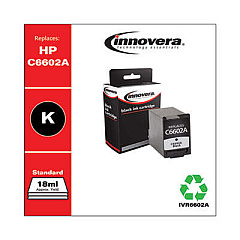
HP PSC 1410v Black Ink Cartridges

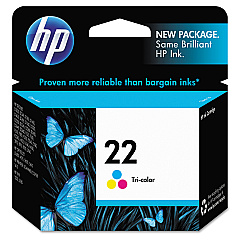
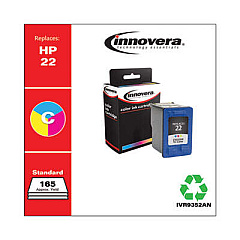
HP PSC 1410v Color Ink Cartridges

Keep your HP PSC 1410v All-in-One printer running smoothly with genuine HP PSC 1410v Ink Cartridges from BlueDogInk.com. Our selection includes the HP C9351AN Black Ink Cartridge and HP C9352AN Tricolor Ink Cartridge, ensuring optimal print quality for all your documents and photos. These cartridges are designed specifically for the HP PSC 1410v, delivering crisp text and vibrant colors with every print. Whether you're printing for business, education, or personal use, these reliable ink cartridges provide consistent results and long-lasting performance. Don't compromise on quality – choose authentic HP ink cartridges to maintain your printer's efficiency and extend its lifespan. With our competitive prices and fast shipping, BlueDogInk.com is your go-to source for all your HP PSC 1410v Ink Cartridges needs. Order now and experience the difference genuine HP ink can make in your printing projects.

HP PSC 1410v Printers Supplies FAQs

  • How often should I replace the ink cartridges in my HP PSC 1410v?

    Replace cartridges when print quality diminishes or when the printer indicates low ink levels, typically every 3-6 months for average users.

  • Are these ink cartridges compatible with other HP printer models?

    While they may be compatible with some other HP models, these cartridges are specifically designed for the HP PSC 1410v. Check your printer's manual for compatibility.

  • How many pages can I print with these ink cartridges?

    The HP C9351AN Black Ink Cartridge yields approximately 190 pages, while the HP C9352AN Tricolor Ink Cartridge yields about 165 pages, based on 5% page coverage.

  • Do you offer any bundle deals for these ink cartridges?

    Yes, we often have bundle deals available. Check our website or contact customer service for current promotions.

  • What's the shelf life of these ink cartridges?

    Unopened cartridges typically have a shelf life of 24 months. Always check the expiration date on the package.

  • Are these genuine HP ink cartridges or third-party alternatives?

    These are genuine HP ink cartridges, ensuring the best quality and compatibility with your HP PSC 1410v printer.

  • How do I install these ink cartridges in my HP PSC 1410v?

    Open the printer's front cover, wait for the carriage to move to the center, remove the old cartridge, insert the new one, and close the cover. The printer will automatically align the cartridges.

  • What should I do if my printer doesn't recognize the new ink cartridge?

    Try removing and reinserting the cartridge, cleaning the contacts, or running the printer's alignment process. If issues persist, contact HP support.

  • Can I use these cartridges if they've expired?

    While it's possible, using expired cartridges may result in poor print quality or printer damage. It's best to use cartridges before their expiration date.

  • Do you offer a warranty on these ink cartridges?

    Yes, these genuine HP ink cartridges come with a standard manufacturer's warranty. If you experience any issues, please contact us for assistance.

Warehouse Locations

Policy & Agreement | Copyright © 1995-2026 BlueDogInk.com
