





Ads

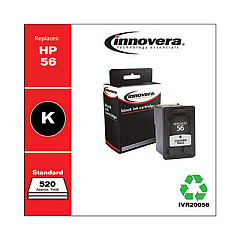
HP PSC 1350v All-in-One Black Ink Cartridges

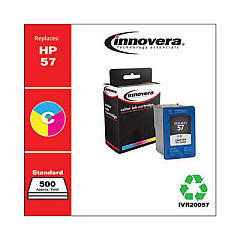
HP PSC 1350v All-in-One Color Ink Cartridges

HP PSC 1350v All-in-One Warranty and Services

  • HP UQ209E Exchange Warranty

    Item UQ209E

    HP UQ209E Exchange Warranty

    HP Electronic Care Pack (Next Business Day Exchange) (Enhanced Technical Phone S..

    Status

    In Stock

    $59.99

  • HP UQ208E Exchange Warranty

    Item UQ208E

    HP UQ208E Exchange Warranty

    HP Electronic Care Pack (Next Business Day Exchange) (Hardware Support) (2 Year)..

    Status

    In Stock

    $44.99

Discover premium HP PSC 1350v All-in-One Ink Cartridges for your versatile printing needs. This all-in-one printer combines printing, scanning, and copying capabilities, making it ideal for businesses, schools, healthcare facilities, and government offices. To ensure optimal performance, the HP PSC 1350v utilizes two essential cartridges: the HP C6656AN Black Ink Cartridge for crisp text and sharp monochrome images, and the HP C6657AN Tri-Color Ink Cartridge for vibrant, true-to-life color prints. These high-quality cartridges deliver exceptional results, whether you're producing important documents, eye-catching presentations, or stunning photographs. With genuine HP ink cartridges, you can count on consistent, professional-grade output and long-lasting prints. Maximize your printer's potential and streamline your workflow with reliable HP PSC 1350v All-in-One Ink Cartridges, designed to meet the demands of busy environments across various sectors.

HP PSC 1350v All-in-One Printers Supplies FAQs

  • What ink cartridges are compatible with the HP PSC 1350v All-in-One printer?

    The HP PSC 1350v All-in-One printer is compatible with the HP C6656AN Black Ink Cartridge and the HP C6657AN Tri-Color Ink Cartridge.

  • How often should I replace the ink cartridges in my HP PSC 1350v?

    The frequency of replacement depends on your printing volume. Replace cartridges when print quality diminishes or when the printer indicates low ink levels.

  • Can I use third-party ink cartridges in my HP PSC 1350v?

    While third-party cartridges may work, HP recommends using genuine HP ink cartridges for optimal print quality and to protect your printer's warranty.

  • How do I install new ink cartridges in the HP PSC 1350v?

    Open the printer's front cover, wait for the carriage to move to the center, remove the old cartridges, insert the new ones, and close the cover. The printer will automatically align the cartridges.

  • What is the page yield for the HP C6656AN Black Ink Cartridge?

    The HP C6656AN Black Ink Cartridge has an approximate page yield of 520 pages, based on 5% coverage.

  • What is the page yield for the HP C6657AN Tri-Color Ink Cartridge?

    The HP C6657AN Tri-Color Ink Cartridge has an approximate page yield of 400 pages, based on 15% coverage.

  • Can I recycle my used HP ink cartridges?

    Yes, HP offers a free recycling program for genuine HP ink cartridges. You can return them to participating retailers or request a prepaid shipping label from HP.

  • How can I troubleshoot print quality issues with my HP PSC 1350v?

    Try cleaning the print heads, aligning the cartridges, and ensuring you're using genuine HP ink cartridges. If issues persist, consult the printer's manual or contact HP support.

  • Are HP PSC 1350v All-in-One Ink Cartridges available in high-yield versions?

    No, high-yield versions are not available for this printer model. The HP C6656AN and HP C6657AN are the standard cartridges for the HP PSC 1350v.

  • How should I store unused ink cartridges for my HP PSC 1350v?

    Store unused cartridges in their original sealed packaging at room temperature, away from direct sunlight and heat sources, to maintain their quality and prevent them from drying out.

Warehouse Locations

Policy & Agreement | Copyright © 1995-2026 BlueDogInk.com
