




Ads

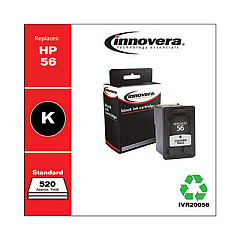
HP PSC 1340 Black Ink Cartridges

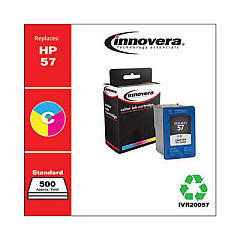
HP PSC 1340 Color Ink Cartridges

Ensure your HP PSC 1340 printer continues to deliver exceptional prints with genuine HP PSC 1340 Ink Cartridges. This versatile all-in-one printer requires two essential cartridges: the HP C6656AN Black Ink Cartridge for crisp text and sharp monochrome images, and the HP C6657AN Tri-Color Ink Cartridge for vibrant, true-to-life color prints. These high-quality ink cartridges are designed specifically for optimal performance in your HP PSC 1340, guaranteeing consistent results and extending the life of your printer. Whether you're printing important documents, school projects, or cherished family photos, these cartridges provide the reliability and quality you need. Don't compromise on your printing needs – choose authentic HP ink cartridges to maintain your printer's efficiency and produce professional-grade outputs every time.

HP PSC 1340 Ink Cartridges FAQs

  • How often should I replace the ink cartridges in my HP PSC 1340?

    Replace cartridges when print quality diminishes or when the printer indicates low ink levels, typically every 3-6 months for average users.

  • Can I use third-party ink cartridges in my HP PSC 1340?

    While third-party cartridges may work, HP recommends using genuine HP cartridges for optimal print quality and to protect your printer's warranty.

  • How do I install new ink cartridges in my HP PSC 1340?

    Open the cartridge access door, wait for the carriage to move to the center, remove the old cartridge, insert the new one, and close the door. The printer will automatically align the cartridges.

  • What's the difference between the black and tri-color cartridges?

    The black cartridge (C6656AN) is used for text and monochrome prints, while the tri-color cartridge (C6657AN) contains cyan, magenta, and yellow inks for color printing.

  • How many pages can I print with one set of HP PSC 1340 ink cartridges?

    Page yield varies depending on print content and settings, but typically the black cartridge yields about 450 pages, and the tri-color cartridge yields about 400 pages.

  • Are HP PSC 1340 ink cartridges recyclable?

    Yes, HP offers a free recycling program for used ink cartridges. You can return them to HP or participating retailers for environmentally responsible recycling.

  • Can I refill my HP PSC 1340 ink cartridges?

    While it's possible to refill cartridges, HP doesn't recommend this as it may affect print quality and potentially damage your printer. It's best to use new, genuine HP cartridges.

  • How long do unopened HP PSC 1340 ink cartridges last?

    Unopened cartridges typically last up to 24 months from the date of manufacture when stored properly in a cool, dry place.

  • What should I do if my HP PSC 1340 doesn't recognize a new ink cartridge?

    Try removing and reinserting the cartridge, cleaning the contacts, or running the printer's cartridge alignment process. If issues persist, contact HP support.

  • Can I use just the black cartridge for printing if the tri-color cartridge is empty?

    The HP PSC 1340 requires both cartridges to be installed and functioning for the printer to operate. Replace empty cartridges to continue printing.

Warehouse Locations

Policy & Agreement | Copyright © 1995-2026 BlueDogInk.com
