




Ads

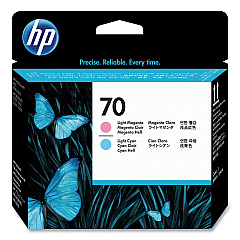
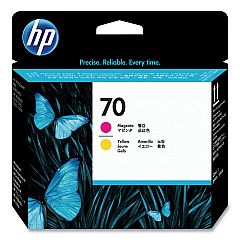
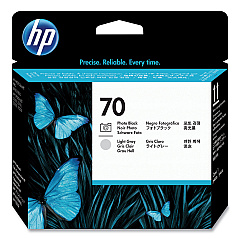
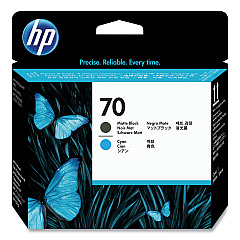
HP PhotoSmart Pro B8800 Series Printheads

Elevate your printing experience with HP PhotoSmart Pro B8800 Series Ink Cartridges, designed to deliver exceptional quality and performance for professional photographers and graphic artists. These high-capacity cartridges, including the HP C9404A, C9405A, C9406A, and C9407A Printheads, ensure vibrant, long-lasting prints with remarkable color accuracy and detail. The HP PhotoSmart Pro B8800 Series Ink Cartridges are optimized for use with the B8800 printer, providing superior results for a wide range of applications, from stunning photographs to precise proofs. With their advanced formulation, these cartridges offer fade-resistant prints that maintain their brilliance for generations. Experience the perfect balance of efficiency and quality with these genuine HP ink cartridges, designed to work seamlessly with your HP PhotoSmart Pro B8800 Series printer for consistent, professional-grade output every time.

HP PhotoSmart Pro B8800 Series Ink Cartridges FAQs

  • How long do HP PhotoSmart Pro B8800 Series Ink Cartridges last?

    The lifespan of these cartridges varies depending on usage, but they typically last for several hundred prints.

  • Are these cartridges compatible with other HP printers?

    No, these cartridges are specifically designed for the HP PhotoSmart Pro B8800 Series printers.

  • Can I use third-party ink cartridges in my HP PhotoSmart Pro B8800 Series printer?

    While third-party cartridges may work, using genuine HP cartridges ensures optimal print quality and printer performance.

  • How do I install the HP C9404A, C9405A, C9406A, and C9407A Printheads?

    Follow the instructions in your printer's user manual for proper installation of printheads.

  • What is the shelf life of unopened HP PhotoSmart Pro B8800 Series Ink Cartridges?

    Unopened cartridges typically have a shelf life of 24 months from the date of manufacture.

  • Can I recycle used HP PhotoSmart Pro B8800 Series Ink Cartridges?

    Yes, HP offers a recycling program for used ink cartridges. Visit their website for details.

  • What should I do if my prints appear faded or streaky?

    Try cleaning the printheads using the printer's maintenance function. If the issue persists, you may need to replace the cartridges or printheads.

  • Are these cartridges available in high-yield versions?

    The HP PhotoSmart Pro B8800 Series Ink Cartridges are already high-capacity cartridges designed for professional use.

  • How can I check the ink levels in my HP PhotoSmart Pro B8800 Series printer?

    You can check ink levels through the printer's control panel or using HP's printer software on your computer.

  • What types of paper are best for use with these ink cartridges?

    For optimal results, use HP-recommended photo papers designed for professional-quality prints.

Warehouse Locations

Policy & Agreement | Copyright © 1995-2026 BlueDogInk.com
