




Ads

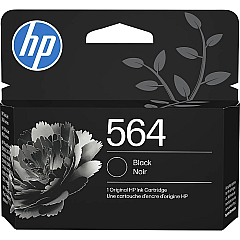
HP Photosmart Premium TouchSmart Web Black Ink Cartridges

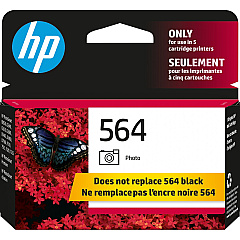
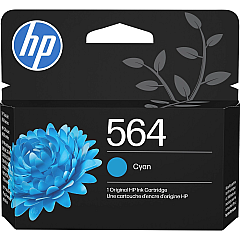
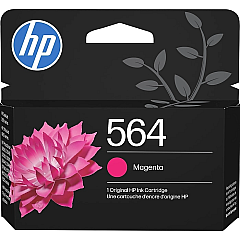
HP Photosmart Premium TouchSmart Web Color Ink Cartridges

Enhance your printing experience with HP Photosmart Premium TouchSmart Web Ink Cartridges, designed specifically for your HP Photosmart Premium TouchSmart Web printer. This comprehensive set includes five high-quality cartridges: CB316WN Black, CB317WN Photo Black, CB318WN Cyan, CB319WN Magenta, and CB320WN Yellow. These genuine HP ink cartridges deliver exceptional print quality, vibrant colors, and sharp text for all your printing needs. Whether you're printing photos, documents, or web content, these cartridges ensure professional-grade results every time. The HP Photosmart Premium TouchSmart Web Ink Cartridges are easy to install and provide long-lasting performance, allowing you to print more pages with fewer replacements. Trust in HP's advanced ink technology to produce fade-resistant prints that maintain their quality for years to come. Upgrade your printing capabilities and enjoy stunning results with these reliable and efficient ink cartridges.

HP Photosmart Premium TouchSmart Web Printers Supplies FAQs

  • How long do HP Photosmart Premium TouchSmart Web Ink Cartridges typically last?

    The lifespan of these cartridges varies depending on usage, but they generally last for several hundred pages.

  • Are these cartridges compatible with other HP printers?

    These cartridges are specifically designed for the HP Photosmart Premium TouchSmart Web printer and may not be compatible with other models.

  • Can I use third-party ink cartridges instead of genuine HP cartridges?

    While third-party cartridges may work, using genuine HP cartridges ensures optimal print quality and printer performance.

  • How do I properly install these ink cartridges?

    Follow the instructions in your printer's user manual for proper installation. Generally, you'll need to open the printer's ink cartridge access door and insert each cartridge into its corresponding slot.

  • What should I do if my printer doesn't recognize a newly installed cartridge?

    Try removing and reinserting the cartridge, ensuring it's properly seated. If the issue persists, clean the cartridge contacts and try again.

  • How can I check the ink levels in my cartridges?

    You can check ink levels through your printer's control panel or by using the HP software installed on your computer.

  • Are these cartridges recyclable?

    Yes, HP offers a recycling program for used ink cartridges. Visit HP's website for more information on their recycling initiatives.

  • What's the difference between the Black and Photo Black cartridges?

    The Black cartridge is used for regular text printing, while the Photo Black cartridge enhances the quality of photo prints.

  • Can I buy these cartridges individually, or do I need to purchase the entire set?

    You can purchase these cartridges individually or as a set, depending on your needs and which colors require replacement.

  • What should I do if I experience poor print quality with these cartridges?

    First, ensure the cartridges are properly installed. If the issue persists, run a printer head cleaning cycle through your printer's maintenance menu.

Warehouse Locations

Policy & Agreement | Copyright © 1995-2026 BlueDogInk.com
