




HP Photosmart Premium Fax e-All-in-One (C410a) Printers Supplies

Ads

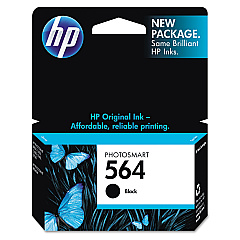
HP Photosmart Premium Fax e-All-in-One (C410a) Black Ink Cartridges

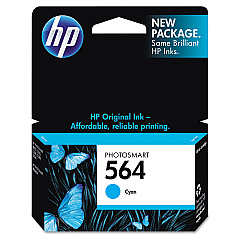
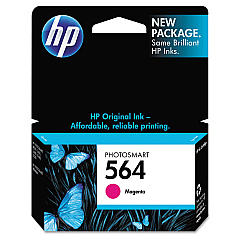
HP Photosmart Premium Fax e-All-in-One (C410a) Color Ink Cartridges

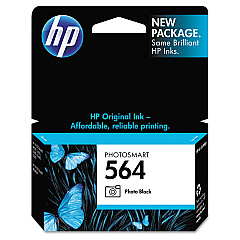
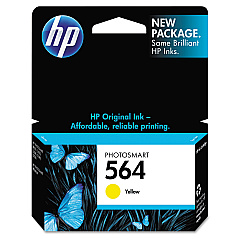
Enhance your printing experience with genuine HP Photosmart Premium Fax e-All-in-One (C410a) Ink Cartridges. This versatile all-in-one printer demands high-quality ink to produce stunning photos, crisp documents, and vibrant graphics. The comprehensive set includes HP CB316WN Black, CB317WN Photo Black, CB318WN Cyan, CB319WN Magenta, and CB320WN Yellow ink cartridges, ensuring a full spectrum of colors for your printing needs. These cartridges are designed specifically for the C410a model, guaranteeing optimal performance and longevity. Whether you're printing professional reports, family photos, or creative projects, these ink cartridges deliver exceptional results. With easy installation and reliable output, you can count on consistent, high-quality prints every time. Invest in genuine HP ink cartridges to maximize your printer's potential and enjoy superior print quality for all your personal and business needs.

HP Photosmart Premium Fax e-All-in-One (C410a) Printers Supplies FAQs

  • How long do HP Photosmart Premium Fax e-All-in-One (C410a) Ink Cartridges typically last?

    The lifespan of ink cartridges varies depending on usage, but on average, they can last for 200-300 pages for color cartridges and 300-400 pages for black cartridges.

  • Are these ink cartridges compatible with other HP printer models?

    These cartridges are specifically designed for the HP Photosmart Premium Fax e-All-in-One (C410a) model. They may not be compatible with other HP printer models.

  • Can I use third-party ink cartridges instead of genuine HP cartridges?

    While third-party cartridges may work, using genuine HP cartridges ensures optimal print quality and prevents potential damage to your printer.

  • How do I install these ink cartridges in my printer?

    Open the printer's ink cartridge access door, remove the old cartridge, insert the new cartridge, and close the access door. The printer will automatically recognize the new cartridge.

  • What's the difference between the Black and Photo Black ink cartridges?

    The Black cartridge is used for regular text printing, while the Photo Black cartridge is specifically designed for high-quality photo printing.

  • How can I tell when my ink cartridges are running low?

    Your printer will display a low ink warning on its control panel or through your computer's printer software when cartridges are running low.

  • Are these ink cartridges recyclable?

    Yes, HP offers a recycling program for used ink cartridges. You can return them to HP or participating retailers for proper recycling.

  • What should I do if my printer doesn't recognize a new cartridge?

    Try removing and reinserting the cartridge, cleaning the cartridge contacts, or running the printer's alignment process. If issues persist, contact HP support.

  • Can I buy these cartridges individually, or do I need to purchase the entire set?

    You can purchase these cartridges individually or as a set, depending on your needs and which colors are running low.

  • What's the shelf life of unopened ink cartridges?

    Unopened HP ink cartridges typically have a shelf life of 24 months from the date of manufacture when stored properly at room temperature.

Warehouse Locations

Policy & Agreement | Copyright © 1995-2026 BlueDogInk.com
