





Ads

HP PhotoSmart P1100 xi Black Ink Cartridges

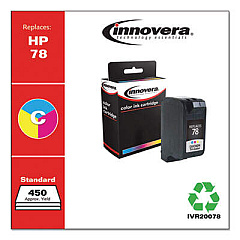
HP PhotoSmart P1100 xi Color Ink Cartridges

Ensure your HP PhotoSmart P1100 xi printer continues to deliver exceptional print quality with our genuine HP PhotoSmart P1100 xi Ink Cartridges. These high-performance cartridges are specifically designed for your printer model, guaranteeing optimal results for both text and image printing. The HP 45 Black Ink Cartridge (51645A) is a key component, offering rich, crisp black output for all your printing needs. Whether you're producing professional documents or vibrant photos, these cartridges provide consistent, fade-resistant results. With their easy installation and long-lasting performance, you'll experience fewer interruptions and more productivity. Trust in the reliability and quality of genuine HP ink to bring your ideas to life. Don't compromise on your printing experience – choose authentic HP PhotoSmart P1100 xi Ink Cartridges for unparalleled results every time.

HP PhotoSmart P1100 xi Ink Cartridges FAQs

  • How long does an HP 45 Black Ink Cartridge typically last?

    The lifespan of an HP 45 Black Ink Cartridge varies depending on usage, but it generally yields around 930 pages.

  • Are these ink cartridges compatible with other HP printer models?

    While the HP 45 Black Ink Cartridge is compatible with several HP printer models, it's best to check your printer's specifications to ensure compatibility.

  • Can I use third-party ink cartridges in my HP PhotoSmart P1100 xi printer?

    While third-party cartridges may work, using genuine HP ink cartridges ensures the best print quality and helps maintain your printer's warranty.

  • How do I install the HP 45 Black Ink Cartridge in my PhotoSmart P1100 xi?

    Open the printer's front cover, remove the old cartridge, insert the new HP 45 cartridge, and close the cover. The printer should recognize the new cartridge automatically.

  • What should I do if my printer doesn't recognize the new ink cartridge?

    Try removing and reinserting the cartridge, cleaning the contacts, or running the printer's alignment process. If issues persist, consult your printer's manual or contact HP support.

  • How can I check the ink levels in my HP PhotoSmart P1100 xi?

    You can check ink levels through your printer's control panel or by using the HP software installed on your computer.

  • Is it normal for ink cartridges to expire?

    Yes, ink cartridges have expiration dates. Using them beyond this date may result in poor print quality or printer damage.

  • Can I recycle my used HP ink cartridges?

    Yes, HP offers a free recycling program for used ink cartridges. You can return them to participating retailers or request a free shipping label from HP.

  • What's the difference between dye-based and pigment-based ink?

    Dye-based ink is typically used for vibrant color prints, while pigment-based ink offers better water resistance and longevity, often used for text documents.

  • How should I store unused ink cartridges?

    Store unused cartridges in their original sealed packaging, at room temperature, and away from direct sunlight to maintain their quality and extend their shelf life.

Warehouse Locations

Policy & Agreement | Copyright © 1995-2026 BlueDogInk.com
