




Ads

HP Photosmart e-All-in-One Black Ink Cartridges

HP Photosmart e-All-in-One Color Ink Cartridges

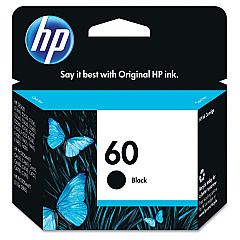
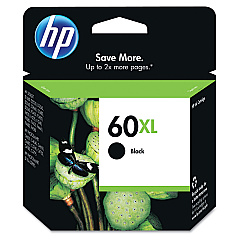
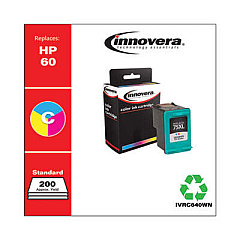
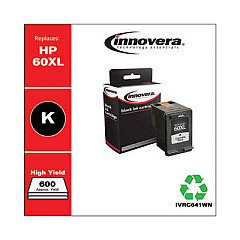
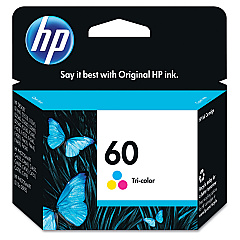
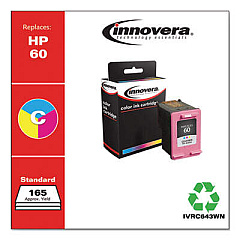
Enhance your printing experience with genuine HP Photosmart e-All-in-One Ink Cartridges. These high-quality cartridges are designed specifically for your HP Photosmart e-All-in-One printer, ensuring optimal performance and stunning results. Choose from the HP CC640WN Black Ink Cartridge for crisp text and sharp documents, the HP CC641WN Black Ink Cartridge for higher-volume printing needs, or the HP CC643WN Tricolor Ink Cartridge for vibrant color photos and graphics. These cartridges deliver consistent, fade-resistant prints that maintain their quality for years. With easy installation and reliable performance, you can count on these cartridges to keep your printer running smoothly. Whether you're printing important business documents, school projects, or cherished family photos, HP Photosmart e-All-in-One Ink Cartridges provide the quality and reliability you need for all your printing tasks.

HP Photosmart e-All-in-One Printers Supplies FAQs

  • Are these ink cartridges compatible with all HP Photosmart e-All-in-One printers?

    These cartridges are designed for specific HP Photosmart e-All-in-One models. Please check your printer's compatibility before purchasing.

  • What's the difference between the CC640WN and CC641WN black ink cartridges?

    The CC641WN typically has a higher page yield than the CC640WN, making it suitable for higher-volume printing needs.

  • How long do these ink cartridges last?

    The lifespan of the cartridges depends on your printing frequency and the types of documents you print. Page yield information is usually available on the product packaging.

  • Can I use third-party ink cartridges instead of genuine HP cartridges?

    While third-party cartridges may work, using genuine HP cartridges ensures the best print quality and helps maintain your printer's warranty.

  • How do I install these ink cartridges?

    Installation is simple. Open your printer's ink cartridge access door, remove the old cartridge, and insert the new one until it clicks into place.

  • Are these cartridges recyclable?

    Yes, HP offers a recycling program for used ink cartridges. You can return them to HP or participating retailers for proper recycling.

  • How can I tell if my ink cartridge is running low?

    Your printer software will typically alert you when ink levels are low. You can also check ink levels through your printer's control panel.

  • Can I buy these cartridges in bulk?

    Yes, many retailers offer multi-packs or value packs of these ink cartridges for cost savings on larger quantities.

  • What should I do if my printer doesn't recognize the new cartridge?

    Try removing and reinserting the cartridge. If the issue persists, clean the cartridge contacts and try again. If problems continue, contact HP support.

  • Do these cartridges come with a warranty?

    Yes, genuine HP ink cartridges typically come with a warranty. Check the packaging or HP's website for specific warranty information.

Warehouse Locations

Policy & Agreement | Copyright © 1995-2026 BlueDogInk.com
