




Ads

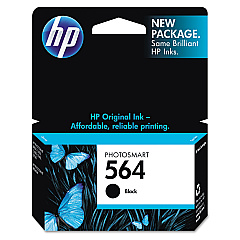
HP Photosmart C6340 All-in-One Black Ink Cartridges

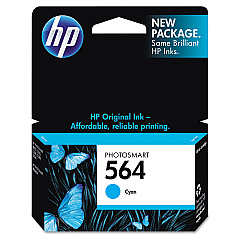
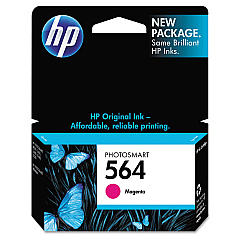
HP Photosmart C6340 All-in-One Color Ink Cartridges

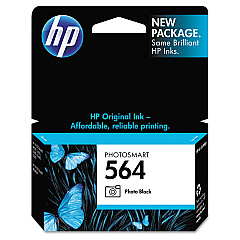
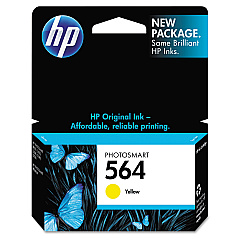
Enhance your printing experience with genuine HP Photosmart C6340 All-in-One Ink Cartridges. These high-quality cartridges ensure crisp text, vibrant colors, and long-lasting prints for all your business, educational, or healthcare needs. The comprehensive set includes HP CB316WN Black, CB317WN Photo Black, CB318WN Cyan, CB319WN Magenta, and CB320WN Yellow ink cartridges, providing a complete solution for your all-in-one printer. Whether you're producing professional documents, stunning photographs, or colorful presentations, these cartridges deliver exceptional results. Designed specifically for the HP Photosmart C6340 All-in-One printer, they offer seamless compatibility and optimal performance. Invest in these reliable ink cartridges to maximize your printer's potential and achieve consistent, high-quality outputs for all your printing requirements.

HP Photosmart C6340 All-in-One Printers Supplies FAQs

  • How long do HP Photosmart C6340 All-in-One Ink Cartridges typically last?

    The lifespan of ink cartridges varies depending on usage, but they generally last for 200-300 pages for color cartridges and 300-400 pages for black cartridges.

  • Are these ink cartridges compatible with other HP printer models?

    These cartridges are specifically designed for the HP Photosmart C6340 All-in-One printer. They may not be compatible with other models.

  • Can I use third-party ink cartridges instead of genuine HP cartridges?

    While third-party cartridges may work, using genuine HP cartridges ensures optimal print quality and prevents potential damage to your printer.

  • How do I install these ink cartridges in my HP Photosmart C6340 All-in-One printer?

    Open the printer's front cover, remove the old cartridge, insert the new cartridge into the corresponding slot, and push until it clicks into place.

  • What's the difference between the Black and Photo Black ink cartridges?

    The Black cartridge is used for regular text printing, while the Photo Black cartridge enhances the quality of photo prints.

  • How can I check the ink levels in my HP Photosmart C6340 All-in-One printer?

    You can check ink levels through the printer's control panel or by using the HP software installed on your computer.

  • Are these ink cartridges recyclable?

    Yes, HP offers a recycling program for used ink cartridges. You can return them to HP or participating retailers for proper recycling.

  • What should I do if my printer doesn't recognize the new ink cartridge?

    Try removing and reinserting the cartridge, cleaning the cartridge contacts, or updating your printer's firmware. If issues persist, contact HP support.

  • Can I buy these ink cartridges individually, or do I need to purchase the entire set?

    You can purchase these ink cartridges individually or as a set, depending on your needs and which colors require replacement.

  • What's the shelf life of unopened HP Photosmart C6340 All-in-One Ink Cartridges?

    Unopened ink cartridges typically have a shelf life of 24 months from the date of manufacture when stored properly at room temperature.

Warehouse Locations

Policy & Agreement | Copyright © 1995-2026 BlueDogInk.com
