




Ads

HP PhotoSmart C4783 Black Ink Cartridges

HP PhotoSmart C4783 Color Ink Cartridges

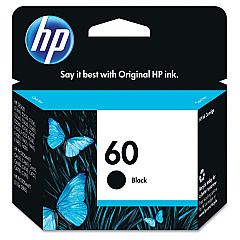
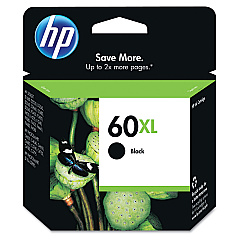
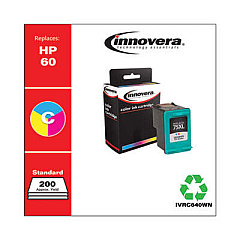
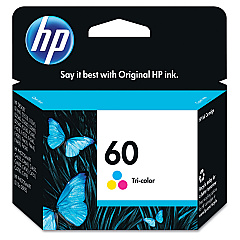
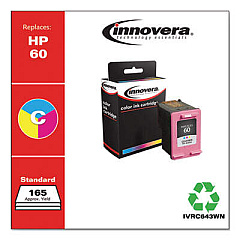
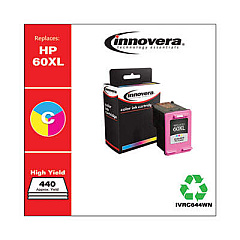
Ensure your HP PhotoSmart C4783 printer continues to deliver stunning prints with our premium HP PhotoSmart C4783 Ink Cartridges. These high-quality cartridges, including the HP CC640WN and CC641WN Black Ink Cartridges, as well as the HP CC643WN Tricolor Ink Cartridge, are designed to provide exceptional results for both text documents and vibrant photos. Whether you're printing important business reports, school projects, or cherished family memories, these cartridges offer reliable performance and long-lasting output. Compatible with your HP PhotoSmart C4783 printer, these ink cartridges are easy to install and maintain, ensuring minimal downtime and maximum productivity. Experience the perfect balance of affordability and quality with our genuine HP ink cartridges, tailored to meet the diverse printing needs of businesses, educational institutions, and home users alike.

HP PhotoSmart C4783 Ink Cartridges FAQs

  • How long do HP PhotoSmart C4783 Ink Cartridges typically last?

    The lifespan of ink cartridges varies depending on usage, but on average, they can last for 200-300 pages for black ink and 150-200 pages for color ink.

  • Are these ink cartridges compatible with other HP printer models?

    While these cartridges are specifically designed for the HP PhotoSmart C4783, they may be compatible with other HP models. Always check your printer's compatibility before purchasing.

  • Can I use third-party ink cartridges in my HP PhotoSmart C4783 printer?

    While third-party cartridges may work, using genuine HP ink cartridges ensures optimal print quality and prevents potential damage to your printer.

  • How do I install new ink cartridges in my HP PhotoSmart C4783 printer?

    Open the printer's front cover, wait for the cartridge holder to center, remove the old cartridge, insert the new one, and close the cover. The printer will automatically align the new cartridge.

  • What's the difference between the CC640WN and CC641WN Black Ink Cartridges?

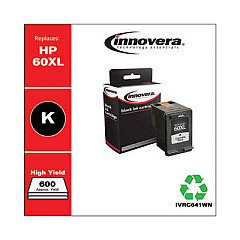
    The CC641WN is a high-yield cartridge that contains more ink and can print more pages compared to the standard CC640WN cartridge.

  • How can I extend the life of my HP PhotoSmart C4783 Ink Cartridges?

    To extend cartridge life, print in draft mode when possible, avoid leaving the printer idle for long periods, and store unused cartridges in a cool, dry place.

  • Are these ink cartridges environmentally friendly?

    HP offers a recycling program for used ink cartridges, helping to reduce environmental impact. You can return empty cartridges to HP or participating retailers.

  • How do I troubleshoot print quality issues with my HP PhotoSmart C4783 Ink Cartridges?

    Try cleaning the print heads, aligning the cartridges, and ensuring you're using genuine HP ink cartridges. If issues persist, check for software updates or consult HP support.

  • Can I buy these ink cartridges in bulk for my business?

    Yes, bulk purchasing options are available for businesses. Contact our sales team for volume discounts and business-specific offers.

  • What's the shelf life of unopened HP PhotoSmart C4783 Ink Cartridges?

    Unopened ink cartridges typically have a shelf life of 24 months from the date of manufacture when stored properly in a cool, dry place.

Warehouse Locations

Policy & Agreement | Copyright © 1995-2026 BlueDogInk.com
