




Ads

HP PhotoSmart C4670 Black Ink Cartridges

HP PhotoSmart C4670 Color Ink Cartridges

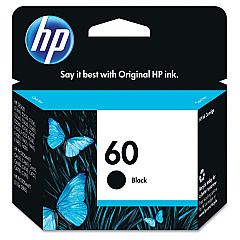
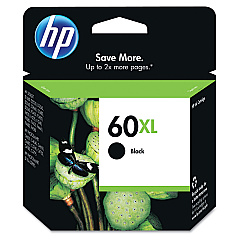
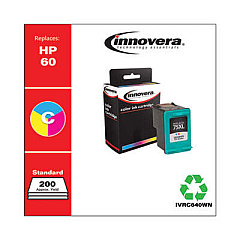
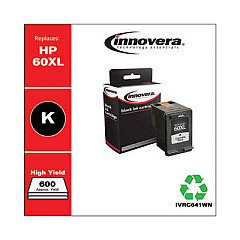
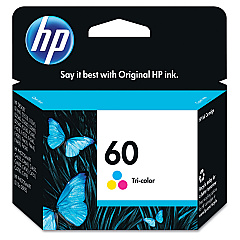
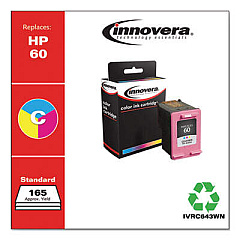
Ensure your HP PhotoSmart C4670 printer continues to deliver stunning prints with our premium HP PhotoSmart C4670 Ink Cartridges. These high-quality cartridges are designed specifically for your printer model, guaranteeing optimal performance and vibrant results. Choose from the HP CC640WN and CC641WN Black Ink Cartridges for crisp text and sharp monochrome images, or the HP CC643WN Tricolor Ink Cartridge for vivid color prints. Our genuine HP ink cartridges provide superior print quality, longer-lasting results, and are engineered to work seamlessly with your printer. Whether you're printing important documents for your business, educational materials for your classroom, or high-resolution photos for your healthcare facility, these cartridges deliver exceptional results every time. Don't compromise on quality – trust our HP PhotoSmart C4670 Ink Cartridges for all your printing needs.

HP PhotoSmart C4670 Ink Cartridges FAQs

  • Are these ink cartridges compatible with other HP printer models?

    These cartridges are specifically designed for the HP PhotoSmart C4670 printer. Always check your printer's compatibility before purchasing.

  • How long do these ink cartridges typically last?

    The lifespan of ink cartridges varies depending on usage, but on average, they can print between 200-300 pages.

  • Can I use third-party ink cartridges instead of genuine HP ones?

    While third-party cartridges may work, we recommend using genuine HP cartridges for optimal print quality and to maintain your printer's warranty.

  • How do I install these ink cartridges?

    Simply open your printer's ink cartridge access door, remove the old cartridge, and insert the new one until it clicks into place.

  • What's the difference between the CC640WN and CC641WN black ink cartridges?

    The CC641WN is a high-yield cartridge that contains more ink and can print more pages than the standard CC640WN cartridge.

  • Are these ink cartridges environmentally friendly?

    HP offers a recycling program for used ink cartridges, helping to reduce environmental impact.

  • How should I store unused ink cartridges?

    Store cartridges in their original packaging at room temperature, away from direct sunlight and heat sources.

  • What should I do if my printer doesn't recognize the new cartridge?

    Try removing and reinserting the cartridge. If the issue persists, clean the cartridge contacts and try again.

  • Can I refill these ink cartridges?

    HP does not recommend refilling cartridges as it may affect print quality and potentially damage your printer.

  • Do you offer bulk discounts for these ink cartridges?

    Yes, we offer discounts for bulk purchases. Please contact our customer service for more information on volume pricing.

Warehouse Locations

Policy & Agreement | Copyright © 1995-2026 BlueDogInk.com
