




Ads

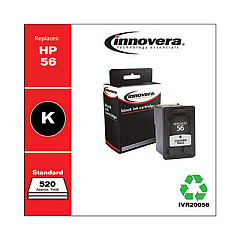
HP Photosmart 7960w Black Ink Cartridges

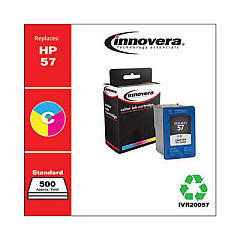
HP Photosmart 7960w Color Ink Cartridges

Enhance your printing experience with genuine HP Photosmart 7960w Ink Cartridges from BlueDogInk.com. Our high-quality ink supplies ensure exceptional results for all your printing needs, whether you're producing vibrant photos or crisp documents. The HP Photosmart 7960w printer relies on two essential cartridges: the HP C6656AN Black Ink Cartridge for sharp text and detailed grayscale images, and the HP C6657AN Tri-Color Ink Cartridge for stunning full-color prints. These authentic HP cartridges are designed to work seamlessly with your printer, delivering consistent performance and long-lasting prints. By choosing BlueDogInk.com for your HP Photosmart 7960w Ink Cartridges, you're guaranteed reliable products, competitive prices, and excellent customer service. Don't compromise on quality – trust BlueDogInk.com to keep your HP Photosmart 7960w running smoothly and producing professional-grade prints every time.

HP Photosmart 7960w Printers Supplies FAQs

  • How often should I replace my HP Photosmart 7960w ink cartridges?

    Replacement frequency depends on usage, but typically every 3-6 months for average users. Replace when print quality diminishes or when prompted by the printer.

  • Are these ink cartridges compatible with other HP printers?

    The HP C6656AN and C6657AN cartridges are compatible with several HP printer models. Check your printer's manual or our website for a full list of compatible printers.

  • How long do unopened ink cartridges last?

    Unopened HP ink cartridges typically last up to 24 months from the date of manufacture when stored properly in a cool, dry place.

  • Can I use third-party ink cartridges in my HP Photosmart 7960w?

    While third-party cartridges may work, we recommend using genuine HP cartridges for optimal print quality and to avoid potential printer damage.

  • How many pages can I print with these ink cartridges?

    Page yield varies depending on print content and settings. On average, the HP C6656AN yields about 450 pages, while the HP C6657AN yields about 400 pages.

  • Do you offer bulk discounts for these ink cartridges?

    Yes, we offer discounts on bulk purchases. Please check our website or contact our customer service for current promotions and volume pricing.

  • What's the difference between the black and tri-color cartridges?

    The black cartridge (C6656AN) contains only black ink for text and grayscale printing. The tri-color cartridge (C6657AN) contains cyan, magenta, and yellow inks for full-color printing.

  • How do I properly install these ink cartridges?

    Open the printer's ink cartridge access door, remove the old cartridge, insert the new cartridge until it clicks into place, and close the access door. Follow on-screen prompts to complete installation.

  • Are these cartridges recyclable?

    Yes, HP offers a free recycling program for used ink cartridges. Visit HP's website or check the packaging for details on how to recycle your used cartridges.

  • What should I do if my printer doesn't recognize the new cartridge?

    First, ensure the cartridge is properly installed. If issues persist, clean the cartridge contacts, reset the printer, or contact HP support for further assistance.

Warehouse Locations

Policy & Agreement | Copyright © 1995-2026 BlueDogInk.com
