




Ads

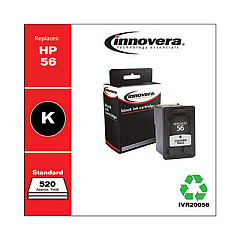
HP PhotoSmart 7350 v Black Ink Cartridges

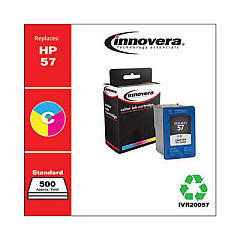
HP PhotoSmart 7350 v Color Ink Cartridges

Enhance your printing experience with genuine HP PhotoSmart 7350 v Ink Cartridges, designed to deliver exceptional quality and reliability. These cartridges are specifically engineered for the HP PhotoSmart 7350 v printer, ensuring optimal performance and stunning results. The set includes the HP C6656AN Black Ink Cartridge for crisp text and sharp lines, and the HP C6657AN Tri-Color Ink Cartridge for vibrant, true-to-life photos and graphics. With these high-quality ink cartridges, you'll achieve professional-grade prints that resist fading and maintain their brilliance over time. Whether you're printing important documents or cherished memories, these HP PhotoSmart 7350 v Ink Cartridges provide the perfect balance of affordability and superior print quality. Trust in HP's innovative technology to bring your ideas to life with vivid colors and precise details, page after page.

HP PhotoSmart 7350 v Ink Cartridges FAQs

  • How long do HP PhotoSmart 7350 v Ink Cartridges typically last?

    The lifespan of ink cartridges varies depending on usage, but on average, they can last for about 200-300 pages for black ink and 150-200 pages for color ink.

  • Are these ink cartridges compatible with other HP printer models?

    While these cartridges are designed specifically for the HP PhotoSmart 7350 v, they may be compatible with other HP models. It's best to check your printer's manual or HP's website for compatibility information.

  • Can I use third-party ink cartridges instead of genuine HP ones?

    While third-party cartridges may work, using genuine HP ink cartridges ensures the best print quality and helps maintain your printer's warranty.

  • How do I install these ink cartridges in my HP PhotoSmart 7350 v printer?

    Open the printer's front access door, remove the old cartridges, insert the new ones into their respective slots until they click into place, and close the access door.

  • What should I do if my printer doesn't recognize the new ink cartridges?

    Try removing and reinserting the cartridges, cleaning the cartridge contacts, or running the printer's alignment process. If issues persist, contact HP support.

  • How can I extend the life of my HP PhotoSmart 7350 v Ink Cartridges?

    Print only when necessary, use draft mode for non-essential prints, and keep the printer on to maintain the cartridges. Also, store unused cartridges in a cool, dry place.

  • Are these ink cartridges environmentally friendly?

    HP offers a recycling program for used ink cartridges, helping to reduce environmental impact. You can return empty cartridges to HP or participating retailers for recycling.

  • What's the difference between the black and tri-color cartridges?

    The black cartridge (C6656AN) contains only black ink for text and monochrome printing, while the tri-color cartridge (C6657AN) contains cyan, magenta, and yellow inks for color printing.

  • Can I refill these ink cartridges myself?

    While it's possible to refill cartridges, it's not recommended as it may affect print quality and potentially damage your printer. It's best to use new, genuine HP cartridges.

  • How long can I store unopened ink cartridges?

    Unopened HP ink cartridges can typically be stored for up to 24 months from the date of manufacture when kept in their original packaging at room temperature.

Warehouse Locations

Policy & Agreement | Copyright © 1995-2026 BlueDogInk.com
