




Ads

HP PhotoSmart 425 Gogo Color Ink Cartridges

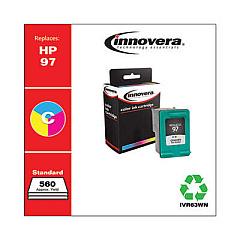
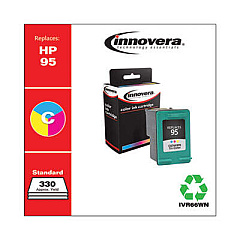
Enhance your printing experience with HP PhotoSmart 425 Gogo Ink Cartridges, designed to deliver exceptional quality and vibrant colors for your portable photo printer. These cartridges are specifically tailored for the HP PhotoSmart 425 Gogo, ensuring optimal performance and long-lasting results. Choose between the HP C8766WN Tricolor Ink Cartridge for everyday printing needs or the HP C9363WN Tricolor Ink Cartridge for professional-grade photo output. Both options offer superior color accuracy and fade-resistant prints, allowing you to preserve your memories for years to come. With these genuine HP ink cartridges, you can trust that your PhotoSmart 425 Gogo will produce stunning, lab-quality photos wherever you go. Don't compromise on quality – equip your portable printer with HP PhotoSmart 425 Gogo Ink Cartridges for unparalleled results on the move.

HP PhotoSmart 425 Gogo Ink Cartridges FAQs

  • What is the difference between HP C8766WN and HP C9363WN ink cartridges?

    The HP C8766WN is a standard tricolor cartridge, while the HP C9363WN is a high-capacity photo tricolor cartridge designed for higher quality photo printing.

  • How many pages can I print with these ink cartridges?

    Page yield varies depending on the content being printed, but typically the C8766WN yields about 140 pages, while the C9363WN yields about 130 photos.

  • Are these cartridges compatible with other HP printers?

    These cartridges are specifically designed for the HP PhotoSmart 425 Gogo, but they may be compatible with other HP models. Check your printer's manual for compatibility.

  • How long do these ink cartridges last?

    Unopened cartridges can last up to 24 months. Once installed, it's best to use them within 6 months for optimal print quality.

  • Can I use third-party ink cartridges in my HP PhotoSmart 425 Gogo?

    While third-party cartridges may work, HP recommends using genuine HP ink cartridges for the best print quality and to maintain your printer's warranty.

  • How do I install these ink cartridges?

    Open the ink cartridge door, remove the old cartridge, insert the new one until it clicks into place, and close the door. The printer will automatically align the new cartridge.

  • Are these ink cartridges environmentally friendly?

    HP offers a recycling program for used ink cartridges, helping to reduce environmental impact. Visit HP's website for more information on their recycling initiatives.

  • Can I refill these ink cartridges?

    HP does not recommend refilling these cartridges as it may affect print quality and potentially damage your printer. It's best to use new, genuine HP cartridges.

  • What should I do if my printer doesn't recognize the new cartridge?

    Try removing and reinserting the cartridge, cleaning the contacts, or running the printer's alignment process. If issues persist, contact HP support for assistance.

  • Do these cartridges come with a warranty?

    Yes, genuine HP ink cartridges come with a warranty against defects in materials and workmanship. Check the packaging or HP's website for specific warranty details.

Warehouse Locations

Policy & Agreement | Copyright © 1995-2026 BlueDogInk.com
