




Ads

HP Photosmart 422 Color Ink Cartridges

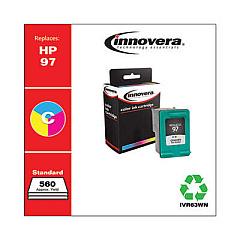
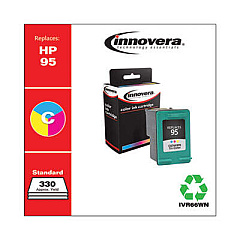
Ensure your HP Photosmart 422 printer continues to produce stunning, high-quality prints with genuine HP Photosmart 422 Ink Cartridges. These cartridges are specifically designed to work seamlessly with your printer, delivering crisp text and vibrant colors for all your printing needs. The HP C8766WN and HP C9363WN Tricolor Ink Cartridges offer exceptional performance and longevity, allowing you to print more pages with fewer cartridge changes. Whether you're printing photos, documents, or creative projects, these ink cartridges provide consistent, professional results every time. Don't compromise on quality – choose authentic HP ink cartridges to maintain your printer's performance and protect your investment. With easy installation and reliable output, HP Photosmart 422 Ink Cartridges are the smart choice for all your printing requirements.

HP Photosmart 422 Printers Supplies FAQs

  • How long do HP Photosmart 422 Ink Cartridges typically last?

    The lifespan of ink cartridges varies depending on usage, but on average, they can last for 200-300 pages.

  • Are these ink cartridges compatible with other HP printers?

    While they are designed for the HP Photosmart 422, they may be compatible with other HP models. Check your printer's manual for compatibility.

  • Can I use third-party ink cartridges in my HP Photosmart 422?

    While third-party cartridges may work, using genuine HP cartridges ensures optimal print quality and prevents potential damage to your printer.

  • How do I install the ink cartridges in my HP Photosmart 422?

    Open the printer's front cover, wait for the cartridge holder to move to the center, then insert the new cartridge and press firmly until it clicks into place.

  • What's the difference between the HP C8766WN and HP C9363WN cartridges?

    Both are tricolor cartridges, but the C9363WN typically has a higher page yield and may be suitable for more intensive printing needs.

  • How can I extend the life of my HP Photosmart 422 Ink Cartridges?

    Print only when necessary, use draft mode for non-critical prints, and keep the printer on to maintain the cartridges.

  • Are these ink cartridges recyclable?

    Yes, HP offers a recycling program for used ink cartridges. Visit their website for details on how to recycle your cartridges.

  • What should I do if my printer doesn't recognize the new cartridge?

    Try removing and reinserting the cartridge, cleaning the contacts, or running the printer's alignment process. If issues persist, contact HP support.

  • Can I refill these ink cartridges myself?

    While it's possible to refill cartridges, it's not recommended as it may void your warranty and potentially damage your printer.

  • How should I store unused ink cartridges?

    Store them in a cool, dry place in their original packaging. Avoid extreme temperatures and direct sunlight to maintain their quality.

Warehouse Locations

Policy & Agreement | Copyright © 1995-2026 BlueDogInk.com
