




Ads

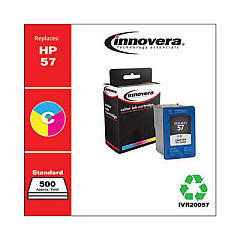
HP PhotoSmart 130 v Color Ink Cartridges

Enhance your printing experience with genuine HP PhotoSmart 130 v Ink Cartridges, designed specifically for your HP PhotoSmart 130 v printer. These high-quality cartridges, including the HP C6657AN Tri-Color Ink Cartridge, deliver vibrant, long-lasting prints for all your personal and professional needs. Whether you're printing photos, documents, or presentations, these ink cartridges ensure crisp text and rich, true-to-life colors. Compatible with various HP PhotoSmart models, these cartridges offer reliable performance and exceptional value. Enjoy smudge-resistant prints that dry quickly, making them perfect for handling and sharing. With easy installation and eco-friendly recycling options, HP PhotoSmart 130 v Ink Cartridges provide a hassle-free printing solution for home, office, or educational use. Trust in HP's renowned quality to bring your ideas to life with stunning clarity and precision.

HP PhotoSmart 130 v Ink Cartridges FAQs

  • What ink cartridges are compatible with the HP PhotoSmart 130 v printer?

    The HP PhotoSmart 130 v printer is compatible with the HP C6657AN Tri-Color Ink Cartridge.

  • How long do HP PhotoSmart 130 v Ink Cartridges typically last?

    The lifespan of ink cartridges varies depending on usage, but on average, they can last for 200-300 pages.

  • Can I use third-party ink cartridges in my HP PhotoSmart 130 v printer?

    While third-party cartridges may work, HP recommends using genuine HP ink cartridges for optimal print quality and printer performance.

  • How do I install the HP C6657AN Tri-Color Ink Cartridge?

    Open the printer's ink cartridge access door, remove the old cartridge, insert the new one, and close the door. The printer will automatically align the cartridge.

  • Are HP PhotoSmart 130 v Ink Cartridges recyclable?

    Yes, HP offers a free recycling program for used ink cartridges through their HP Planet Partners initiative.

  • What should I do if my printer doesn't recognize the new ink cartridge?

    Try removing and reinserting the cartridge, cleaning the contacts, or running the printer's alignment process. If issues persist, contact HP support.

  • Can I refill HP PhotoSmart 130 v Ink Cartridges?

    While it's possible to refill cartridges, HP doesn't recommend this as it may affect print quality and potentially damage your printer.

  • How can I check the ink levels in my HP PhotoSmart 130 v printer?

    You can check ink levels through your printer's control panel or by using the HP software installed on your computer.

  • Do HP PhotoSmart 130 v Ink Cartridges come with a warranty?

    Yes, genuine HP ink cartridges come with a warranty against defects in materials and workmanship.

  • Can I use HP PhotoSmart 130 v Ink Cartridges in other HP printer models?

    The HP C6657AN Tri-Color Ink Cartridge is compatible with several HP printer models, but always check your printer's specifications for compatibility.

Warehouse Locations

Policy & Agreement | Copyright © 1995-2026 BlueDogInk.com
