





Ads

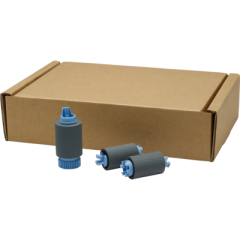
HP PageWide Pro 777z Maintenance Kits

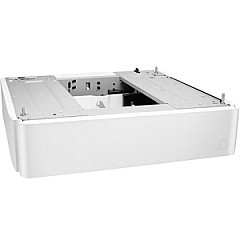
HP PageWide Pro 777z Paper Trays

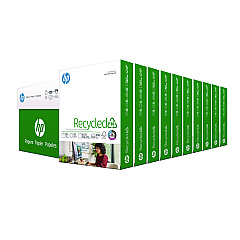
HP PageWide Pro 777z Copy Paper

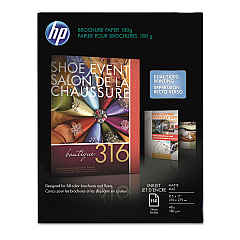
  • HP CH016A Inkjet Brochure Paper

    Item CH016A

    HP CH016A Inkjet Brochure Paper

    Inkjet Brochure/Flyer Paper, 103 Brightness, 48lb, 8-1/2 x 11, White, 150/Pack..

    Status

    In Stock

    $44.30

  • HP 203000 Bright White Inkjet Paper

    Item 203000

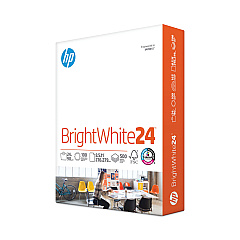
    HP 203000 Bright White Inkjet Paper

    HPB1124 Bright White Inkjet Paper, 97 Brightness, 24lb, 8-1/2 x 11, 500 Sheets/R..

    Status

    In Stock

    $14.10

  • HP 112000 Multipurpose Paper

    Item 112000

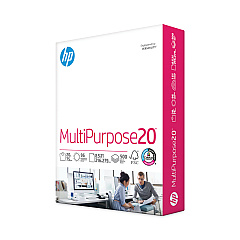
    HP 112000 Multipurpose Paper

    HPM1120R Multipurpose Ultra White Paper, 96 Brightness, 20lb, 8 1/2 x 11, 500 Sh..

    Status

    In Stock

    $10.09

  • HP 115100 Multipurpose Paper

    Item 115100

    HP 115100 Multipurpose Paper

    HPM115RC Multipurpose Ultra White Paper, 96 Brightness, 20lb, 8-1/2 x 11, 500 sh..

    Status

    In Stock

    $50.99

  • HP 112100 Recycled Paper

    Item 112100

    HP 112100 Recycled Paper

    HPE1120C Recycled Paper, 92 Bright, 20lb, 8-1/2 x 11, 500 sheets per ream, 10 re..

    Status

    In Stock

    Free Shipping

    $97.72

HP PageWide Pro 777z Photo Paper

HP PageWide Pro 777z Warranty and Services

Ensure uninterrupted, high-quality printing with genuine HP PageWide Pro 777z Ink Cartridges. These cartridges are specifically designed for optimal performance in your HP PageWide Pro 777z printer, delivering crisp text and vibrant colors for all your business documents. Compatible with the HP A7W99A Paper Tray and HP W1B45A Roller Kit, these cartridges offer exceptional page yields and cost-effective printing solutions. Whether you're printing reports, presentations, or marketing materials, these ink cartridges provide consistent, professional results. Engineered with HP's advanced PageWide technology, they offer faster printing speeds and reduced energy consumption compared to traditional laser printers. Invest in genuine HP PageWide Pro 777z Ink Cartridges to maximize your printer's efficiency and maintain the quality your business demands. Trust in HP's reliability and superior print quality for all your office printing needs.

HP PageWide Pro 777z Ink Cartridges FAQs

  • What is the page yield of HP PageWide Pro 777z Ink Cartridges?

    Page yields vary depending on the specific cartridge model, but they typically range from 10,000 to 20,000 pages for standard cartridges and up to 16,000 to 20,000 pages for high-yield cartridges.

  • Are these ink cartridges compatible with other HP printers?

    No, HP PageWide Pro 777z Ink Cartridges are specifically designed for use with the HP PageWide Pro 777z printer model only.

  • How often should I replace the HP W1B45A Roller Kit?

    The HP W1B45A Roller Kit should be replaced after approximately 150,000 pages or when print quality begins to deteriorate.

  • Can I use third-party ink cartridges in my HP PageWide Pro 777z printer?

    While third-party cartridges may work, HP recommends using genuine HP ink cartridges to ensure optimal print quality and printer performance.

  • What colors are available for the HP PageWide Pro 777z Ink Cartridges?

    The HP PageWide Pro 777z uses four color cartridges: Black, Cyan, Magenta, and Yellow.

  • How do I install the HP A7W99A Paper Tray?

    To install the HP A7W99A Paper Tray, simply align it with the printer's base and slide it into place until it clicks securely.

  • Are these ink cartridges environmentally friendly?

    Yes, HP PageWide Pro 777z Ink Cartridges are designed with environmental sustainability in mind, using less packaging and energy-efficient printing technology.

  • How long do unopened ink cartridges last?

    Unopened HP PageWide Pro 777z Ink Cartridges typically have a shelf life of 24 months from the date of manufacture when stored properly.

  • Can I recycle used HP PageWide Pro 777z Ink Cartridges?

    Yes, HP offers a free recycling program for used ink cartridges through their HP Planet Partners initiative.

  • What should I do if my printer doesn't recognize the new ink cartridge?

    If your printer doesn't recognize the new cartridge, try removing and reinserting it. If the issue persists, clean the cartridge contacts and try again. If problems continue, contact HP support for assistance.

Warehouse Locations

Policy & Agreement | Copyright © 1995-2026 BlueDogInk.com
