




Ads

HP PageWide Pro 352 dn Black Ink Cartridges

HP PageWide Pro 352 dn Color Ink Cartridges

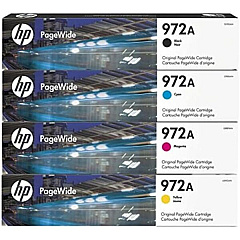
HP PageWide Pro 352 dn Ink Set

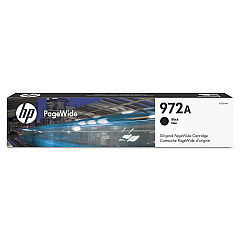
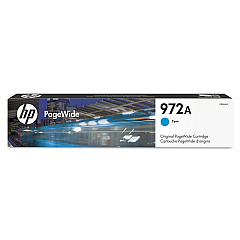
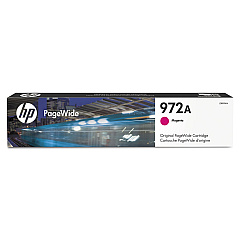
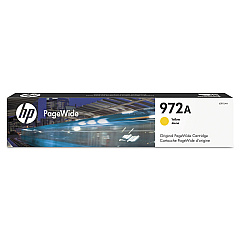
Enhance your printing experience with genuine HP PageWide Pro 352 dn Ink Cartridges. These high-quality cartridges are designed to deliver exceptional results for businesses, schools, government offices, and healthcare facilities. The HP 972A Ink Cartridge Set includes four individual cartridges: HP F6T80AN Black, HP L0R86AN Cyan, HP L0R89AN Magenta, and HP L0R92AN Yellow. Each cartridge is engineered to produce crisp text and vibrant colors, ensuring professional-looking documents every time. With their high page yield and reliable performance, these cartridges help maximize productivity while minimizing downtime. Compatible with the HP PageWide Pro 352 dn printer, these cartridges utilize innovative PageWide technology for faster printing speeds and lower operating costs. Choose genuine HP ink cartridges for consistent quality and optimal printer performance, backed by HP's reputation for excellence in printing solutions.

HP PageWide Pro 352 dn Ink Cartridges FAQs

  • What is the page yield for HP 972A ink cartridges?

    The page yield varies by color. Black cartridges typically yield around 3,500 pages, while color cartridges yield approximately 3,000 pages each.

  • Are these cartridges compatible with other HP printers?

    These cartridges are specifically designed for the HP PageWide Pro 352 dn printer. Always check your printer's compatibility before purchasing ink cartridges.

  • How long do these ink cartridges last?

    The lifespan of ink cartridges depends on usage. Under normal printing conditions, they can last several months to a year.

  • Can I use third-party ink cartridges instead of genuine HP cartridges?

    While third-party cartridges may work, using genuine HP cartridges ensures optimal print quality and printer performance, and maintains your printer's warranty.

  • How do I install these ink cartridges?

    Installation is simple. Open the printer's front cover, remove the old cartridge, and insert the new one until it clicks into place. Close the cover and follow any on-screen prompts.

  • Are these cartridges environmentally friendly?

    HP offers a recycling program for used cartridges, helping to reduce environmental impact. The cartridges are designed with recyclable materials.

  • What should I do if my printer doesn't recognize the new cartridge?

    Try removing and reinserting the cartridge. If the issue persists, clean the cartridge contacts and try again. If problems continue, contact HP support.

  • Can I buy individual color cartridges or only the full set?

    You can purchase individual color cartridges as needed, allowing you to replace only the colors that are low.

  • How do I know when it's time to replace my ink cartridges?

    Your printer will display a low ink warning. You can also check ink levels through the printer software on your computer.

  • Are these cartridges covered by a warranty?

    Yes, genuine HP ink cartridges come with a warranty against defects in materials and workmanship for the period of their shelf life or until the HP ink is depleted, whichever occurs first.

Warehouse Locations

Policy & Agreement | Copyright © 1995-2026 BlueDogInk.com
