




Ads

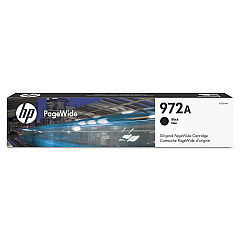
HP PageWide Pro 300 Black Ink Cartridges

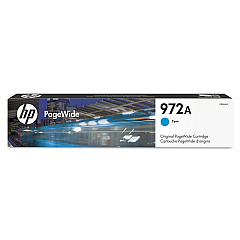
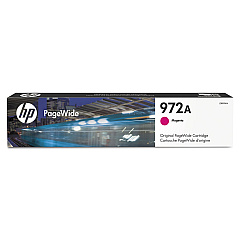
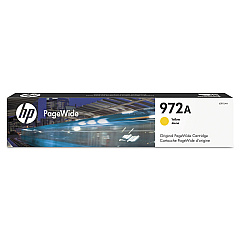
HP PageWide Pro 300 Color Ink Cartridges

HP PageWide Pro 300 Ink Set

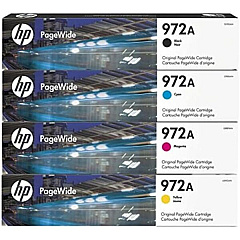
Maximize your printing efficiency with genuine HP PageWide Pro 300 Ink Cartridges. These high-quality cartridges are designed specifically for the HP PageWide Pro 300 series printers, ensuring optimal performance and professional-grade output. The complete set includes the HP 972A cartridges in Black (F6T80AN), Cyan (L0R86AN), Magenta (L0R89AN), and Yellow (L0R92AN). These innovative ink cartridges deliver exceptional page yields, fast-drying results, and vibrant, long-lasting colors. Perfect for businesses, schools, government offices, and healthcare facilities, HP PageWide Pro 300 Ink Cartridges offer reliable, cost-effective printing solutions. Experience smudge-resistant prints, sharp text, and brilliant graphics with these genuine HP supplies. Trust in the superior quality and consistency of HP PageWide Pro 300 Ink Cartridges to meet your high-volume printing needs while maintaining exceptional document quality.

HP PageWide Pro 300 Printers Supplies FAQs

  • What is the page yield for HP PageWide Pro 300 Ink Cartridges?

    The page yield varies by cartridge. The HP 972A Black cartridge typically yields around 3,500 pages, while each color cartridge yields approximately 3,000 pages.

  • Are these ink cartridges compatible with all HP PageWide Pro 300 series printers?

    Yes, these ink cartridges are designed to work with all HP PageWide Pro 300 series printers.

  • How long do HP PageWide Pro 300 Ink Cartridges last?

    The lifespan of the cartridges depends on usage, but they typically last several months under normal printing conditions.

  • Can I use non-HP ink cartridges in my HP PageWide Pro 300 printer?

    While third-party cartridges may work, HP recommends using genuine HP ink cartridges for optimal performance and print quality.

  • Are HP PageWide Pro 300 Ink Cartridges environmentally friendly?

    Yes, HP offers a recycling program for used ink cartridges, and the cartridges are designed to be energy-efficient.

  • How do I install HP PageWide Pro 300 Ink Cartridges?

    Installation is simple. Open the ink cartridge access door, remove the old cartridge, insert the new one, and close the door. The printer will guide you through the process.

  • Can I buy individual color cartridges or do I need to purchase the full set?

    You can purchase individual color cartridges as needed. It's not necessary to buy the full set every time.

  • What should I do if my printer doesn't recognize the new ink cartridge?

    Try removing and reinserting the cartridge. If the issue persists, clean the cartridge contacts and try again. If problems continue, contact HP support.

  • Are these ink cartridges suitable for high-volume printing?

    Yes, HP PageWide Pro 300 Ink Cartridges are designed for high-volume printing environments and offer excellent page yields.

  • Do HP PageWide Pro 300 Ink Cartridges come with a warranty?

    Yes, genuine HP ink cartridges come with a warranty against defects in materials and workmanship.

Warehouse Locations

Policy & Agreement | Copyright © 1995-2026 BlueDogInk.com
