





Ads

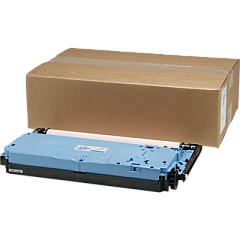
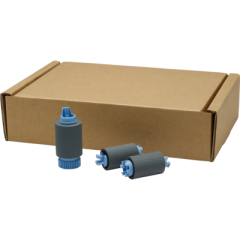
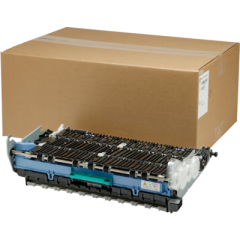
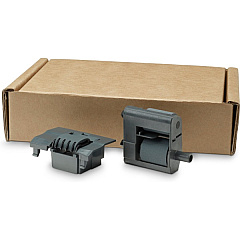
HP PageWide Managed P77940 Maintenance Kits

HP PageWide Managed P77940 Printer Staples

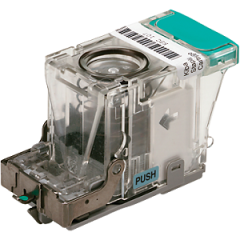
  • HP J8J96A Staple Cartridge

    Item J8J96A

    HP J8J96A Staple Cartridge

    HP Staple Cartridge Refill; 5,000 Staples Per Cartridge..

    Status

    In Stock

    $50.37

HP PageWide Managed P77940 Printer Accessories

Maximize your printing efficiency with genuine HP PageWide Managed P77940 Ink Cartridges and accessories. These high-quality supplies are designed to deliver exceptional performance and reliability for your business needs. From the E5K48A memory module to the W1B47A ADF Roller Replacement Kit, each component is engineered to enhance your printer's capabilities. The B5L28A Internal USB Port Kit and J8030A Wireless Accessory improve connectivity, while the CC487A Analog Fax Accessory ensures seamless communication. Maintain optimal print quality with the W1B43A Printhead Wiper Kit and W1B44A Service Fluid Container. The J8J96A Staple Cartridge keeps your documents neatly organized. Trust in HP's commitment to excellence and choose genuine HP PageWide Managed P77940 Ink Cartridges for unparalleled results in your high-volume printing environment.

HP PageWide Managed P77940 Printers Supplies FAQs

  • What is the page yield of HP PageWide Managed P77940 Ink Cartridges?

    Page yield varies depending on the specific cartridge model and printing habits. Please refer to the product specifications for detailed information.

  • Are these ink cartridges compatible with other HP printers?

    HP PageWide Managed P77940 Ink Cartridges are specifically designed for use with the P77940 printer model. They may not be compatible with other HP printers.

  • How often should I replace the W1B45A Roller Kit?

    The replacement frequency depends on usage. Generally, it's recommended to replace the roller kit after approximately 150,000 pages or when print quality deteriorates.

  • Can I use third-party ink cartridges with this printer?

    While third-party cartridges may work, using genuine HP ink cartridges ensures optimal print quality and prevents potential damage to your printer.

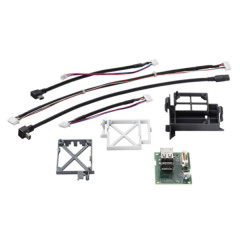
  • What is the purpose of the HP B5L31A Foreign Interface Harness?

    The Foreign Interface Harness allows for the connection of third-party devices to the printer, such as coin operators or card readers.

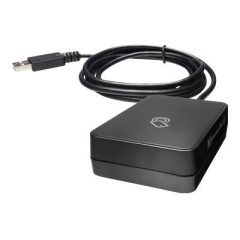
  • How do I install the HP J8030A Wireless Accessory?

    The wireless accessory can be easily installed by following the instructions provided in the user manual. It typically involves plugging the device into a designated port on the printer.

  • What is the function of the HP W1B44A Service Fluid Container?

    The Service Fluid Container collects waste ink during the printing process, helping to maintain the printer's cleanliness and optimal performance.

  • How many staples does the HP J8J96A Staple Cartridge contain?

    The exact number of staples may vary. Please refer to the product specifications for the most accurate information.

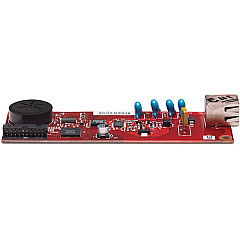
  • Is the HP 2EH31A Analog Fax Accessory 700 necessary for all users?

    The fax accessory is only necessary for users who require fax functionality. If you don't need to send or receive faxes, this accessory is not essential.

  • How does the HP W1B43A Printhead Wiper Kit improve print quality?

    The Printhead Wiper Kit helps clean the printheads, removing ink residue and debris. This maintenance helps ensure consistent print quality and extends the life of the printheads.

Warehouse Locations

Policy & Agreement | Copyright © 1995-2026 BlueDogInk.com
